

You can download your GST registration certificate for free from the GST portal at gst.gov.in. Log in and go to Services → User Services → View/Download Certificates to download Form GST REG-06 as a PDF. The process takes only a few minutes once you access your account.
The GST Registration Certificate is available only after logging in and does not come as a physical document. After downloading it, you must display it prominently at your principal and additional places of business as required under the GST rules.
Key Takeaways
- The GST registration certificate is issued as Form GST REG-06 and remains available digitally on the GST portal.
- You can download the certificate free of charge by logging in at gst.gov.in and selecting View/Download Certificates.
- You need your GST login credentials to download the certificate, although anyone can verify a GSTIN through the portal’s Search Taxpayer facility.
- A regular GST registration generally remains valid until cancellation or surrender, while a casual or non-resident taxable person receives registration for a specified period.
- Rule 18 of the CGST Rules requires taxpayers to display the registration certificate at their business premises and show the GSTIN on the name board.
- Form GST REG-06 contains key details such as the GSTIN, legal name, business constitution, principal place of business, effective date of registration, and QR code.
How to Download GST Registration Certificate Online?
Follow this step-by-step process to download the certificate in PDF format from the GST portal.
1. Log in to the GST Portal
Visit the official GST website, click Login, and enter your username, password, and the captcha.
The homepage will appear after successful login.
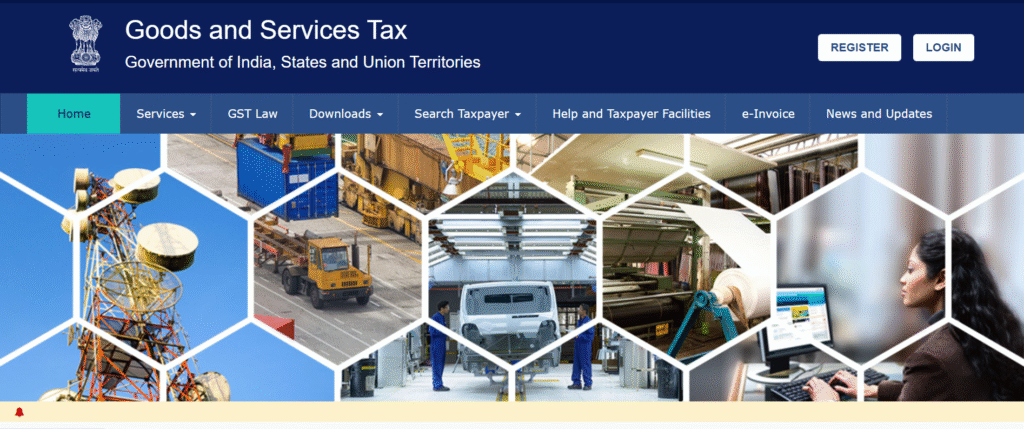
Go to the official Income Tax e-Filing website using a secure browser , as shown in the image above.
2. Access the Registration Tab
- Click on the “Services” tab available on the dashboard.
- Navigate to “User Services.”
- Select the “View/Download Certificates” option.
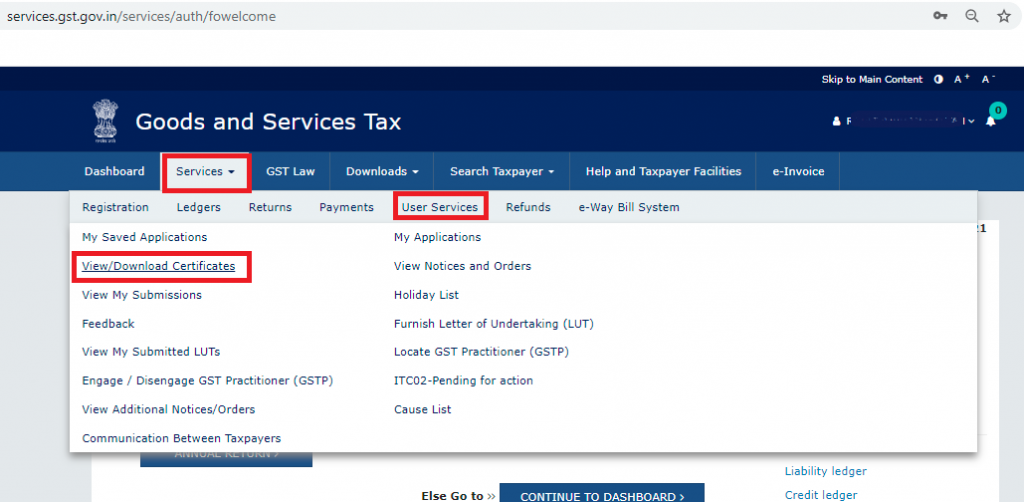
As per the above image, go to the Registration tab to access the available registration services.
3. Download My GST Certificate
Once the certificate appears on the screen, click on the “Download” button to save it in PDF format. The file will be saved to your designated folder, ready for use.
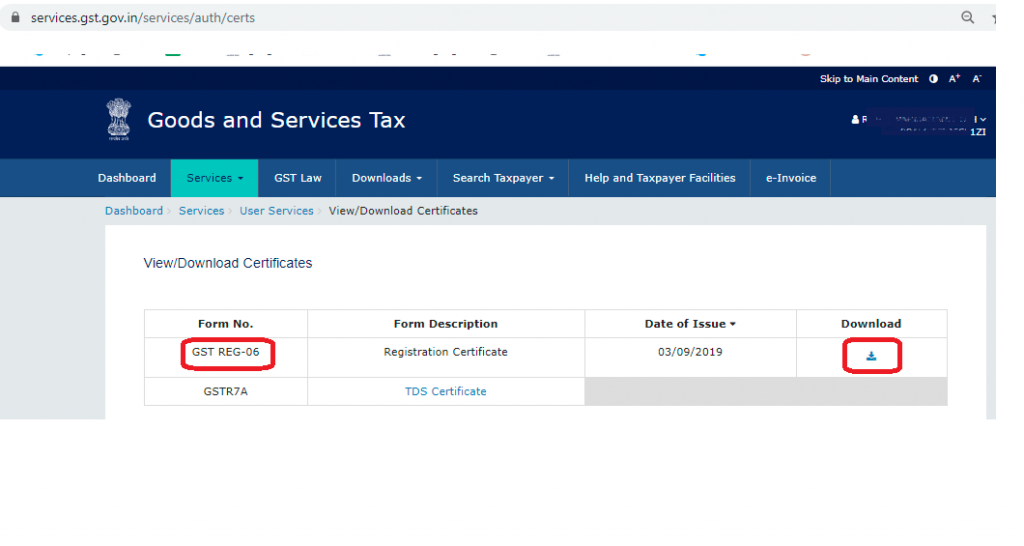
The file includes the main certificate along with Annexure A (Additional Places of Business) and Annexure B (proprietor/partner/director details).
What are the Steps to Download GST Registration Certificate on Mobile Browser?
Follow these steps to download your certificate for GST registration via a mobile browser.
- Open Chrome/Safari on your smartphone and go to the official GST portal.
- Tap on Login and enter your username, password, and captcha.
- Enter the OTP received on your registered mobile/email (if prompted).
- Once logged in, go to Services → User Services → View/Download Certificates.
- Click on the Download button next to “GST Registration Certificate (REG-06).”
- The certificate will be saved as a PDF on your mobile device.
Note: The GST Registration Certificate (REG-06) is not available for download through the GSTN e-Services app. The app supports no-login services such as GSTIN, return filing, and e-invoice verification.
Things to Keep in Mind While Downloading the GST Certificate After Registration
If you’ve recently registered for GST and want to access your certificate for the first time, ensure the following:
- Successful submission of your GST registration application.
- Receive approval from authorities with a unique GSTIN.
- Once the GST certificate is issued, follow the same procedure detailed above for the certificate download.
This process is only available electronically and you will not receive a hard-copy certificate from the GST authorities.
