

To download a BIS certificate, log in to the BIS Manak Online portal, open the relevant license or certificate section, select the approved application, and download the digitally signed PDF. The certificate becomes available after BIS grants the applicable license or registration.
The BIS certificate serves as official proof of certification for schemes such as ISI Mark licenses, CRS registrations, and hallmarking registrations. The downloaded certificate can support customs clearance, e-commerce listings, tenders, and buyer verification.
Key Takeaways
- Download the BIS certificate free of charge from the Manak Online portal after BIS approves the applicable license or registration.
- Log in to the portal, open My Licenses or My Certificates, select the approved or active record, and download the digitally signed PDF.
- Use the Manak Online account credentials linked to the application, as portal login is required for certificate access.
- Download the certificate only after approval and applicable fee payment; newly issued certificates may take some time to appear in BIS’s public verification records.
- The digitally signed PDF serves as the official certificate, so a separate physical stamp or attestation is generally unnecessary.
What Do You Need for Downloading a BIS Certificate? Pre-Requisites
Here are the prerequisites you must meet to download your BIS certificate online:
- Approved Certification: You must have a valid and approved BIS license or registration for your product. Ensure your product type is eligible for BIS certification.
- Active Manak Online Account: You need to be a registered user with an active account on the official Manakonline portal. This digital platform manages all BIS applications, licenses, and certificates.
- Login Credentials: You must have the correct username and password associated with your Manak online account to access your dashboard and download the certificate.
- Payment details: Clear all applicable BIS fees or outstanding dues required for grant of the license before attempting to access the final document.
- License or registration number: Keep the relevant number available, such as the CM/L number for an ISI license or the applicable registration number for other schemes. BIS’s public license records use CM/L numbers for license searches.
- Digital Connectivity: You need a stable internet connection and a device (computer or smartphone) to access the Manakonline portal or the BIS Care mobile app.
What is the Process to Download a BIS Certificate?
You can easily download your BIS certificate online by accessing the official portal or using the mobile app. Here’s how:
Step 1: Log in to the Manakonline Portal
- Go to the official Manakonline portal (manakonline.in).
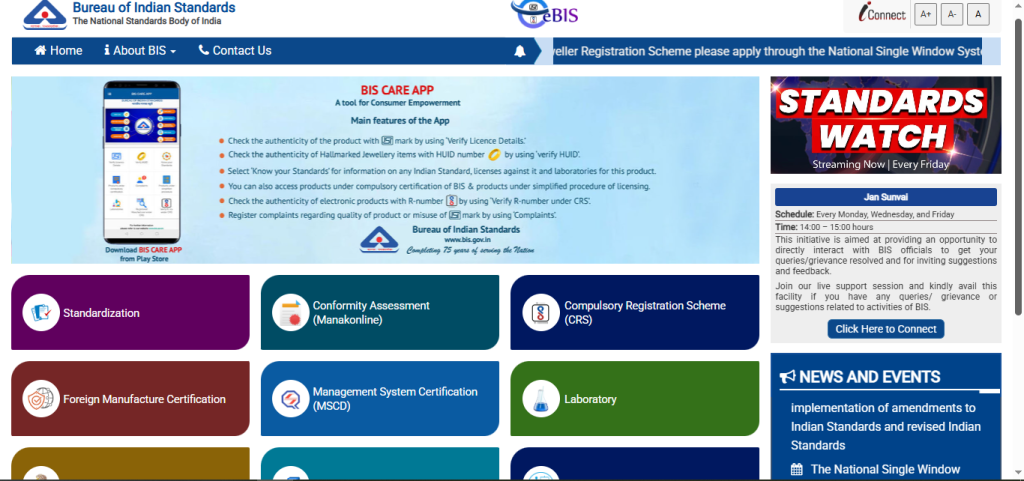
- Use your registered email ID and password to log in to your account.
Step 2: Go to the License Section
After you successfully log in, the system directs you to your user dashboard, where it lists all your applications and licenses.
- On the main dashboard, look for a section titled “My Licenses,” “My Certificates,” or “View Licenses.”
- This area contains the list of all products for which your firm has applied for BIS certification.
Step 3: Locate the Approved License
Find the specific product and its corresponding license number for which you want to download the certificate.
- Scroll through the list of your licenses to find the one with an “Approved” or “Active” status.
- The license number (e.g., CM/L-XXXXXXXX) and the product name will be clearly displayed.
Step 4: Download the Certificate
- Next to your approved license, you will find a button or link that says “Download Certificate.”
- Clicking this button will automatically generate and download the certificate in PDF format to your device.
- The system issues BIS certificates as digitally signed PDFs when users download them online, which makes them official.
- Users can download BIS certificates only after the authority grants final approval and completes inspection, not immediately after they submit the application.
What Does the Downloaded BIS Certificate Contains?
The downloaded BIS certificate records the key details of the certification and its holder. These include:
| Certificate Detail | What It Shows |
| License/Registration Number | CM/L number for an ISI license or the applicable registration number for other BIS schemes |
| License Holder Details | Name and address of the manufacturer or registered entity |
| Product Details | Certified product and the applicable Indian Standard or specification |
| Grant and Validity Details | Date of grant and applicable validity or renewal information |
| Digital Signature | BIS’s digital signature confirming the authenticity of the electronic certificate |
Fixing Common Download Problems
- Certificate not showing: Confirm that the license or registration status shows “Approved” or “Active.” A certificate will not appear while the application remains under process.
- Incorrect account: Log in with the account linked to the approved BIS license or registration. A different user account may not display the certificate.
- Login problems: Use the portal’s password-reset option if the credentials no longer work, then sign in again with the registered account.
- Download option unavailable: Check whether all applicable BIS fees have been paid and no outstanding action remains on the application.
- Wrong certificate selected: If multiple licenses appear, match the CM/L or registration number, product, and manufacturer details before downloading.
- Download interrupted: Check the internet connection and retry the download. Avoid closing the browser while the PDF is being generated.
- Not visible in public verification: A newly issued certificate may take some time to appear in BIS’s public verification records. Recheck the details after the certificate is issued.
- Still unable to download: Check the application’s current status and outstanding requests on Manak Online, then contact BIS support if the issue continues.
Importance of Downloading BIS Certificate
The BIS certificate is more than just a piece of paper; it signifies a product’s compliance with national quality and safety standards.
- Ensures product quality and safety for consumers: BIS certification guarantees that products meet strict quality, safety, and reliability standards, reducing risks of defects or hazards.
- Builds trust and credibility in the Indian market: The BIS mark acts as a symbol of authenticity, helping consumers recognize and trust your brand.
- Complies with mandatory Indian Standards regulations: For certain goods, BIS certification is legally required, ensuring your products meet government standards and avoid penalties.
- Facilitates market access and business growth: Certified products can enter regulated markets, participate in tenders, and expand sales opportunities domestically and internationally.
- Protects consumers from substandard or hazardous products: BIS testing and audits prevent unsafe or low-quality goods from reaching the market, safeguarding public health.
