

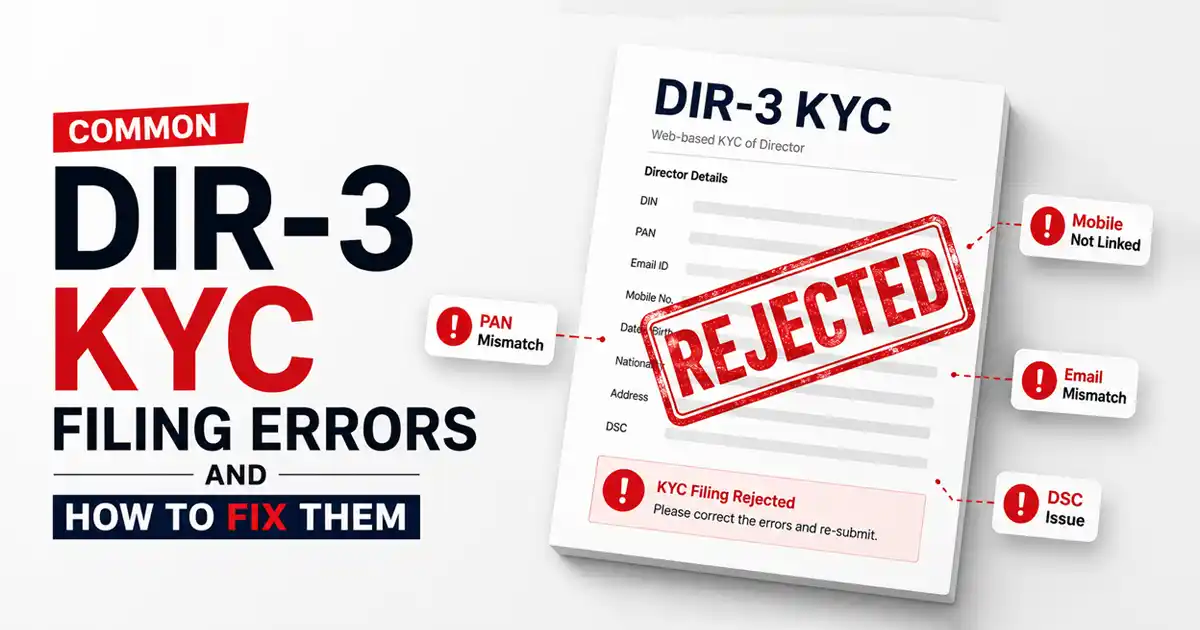
Common DIR-3 KYC filing errors, such as a name mismatch with PAN records, an unlinked DSC, or an inaccessible mobile number, can get your filing rejected on the MCA portal. If you miss the deadline or get rejected, the MCA will mark your Director Identification Number (DIN) as deactivated. As a result, you cannot sign statutory documents, authorize any MCA filing, or fulfil any directorial function until you pay a ₹5,000 penalty and refile.
DIR-3 KYC is a mandatory compliance requirement under Rule 12A of the Companies (Appointment and Qualification of Directors) Rules, 2014. Every person holding a DIN, including resigned directors and those who have never been appointed to a board, must file it with the MCA to keep their DIN active.
This guide covers every common DIR-3 KYC filing error, the exact fix for each one, what to do if your filing is rejected, and how to reactivate a deactivated DIN.
Key Takeaways
- DIR-3 KYC is mandatory for every DIN holder under Rule 12A of the Companies (Appointment and Qualification of Directors) Rules, 2014. This includes active directors, resigned directors, disqualified directors, and those who have never been appointed to a board.
- From March 31, 2026, DIR-3 KYC must be filed once every three consecutive financial years, not annually. The filing is due on or before June 30 of the year following the third financial year.
- The most common DIR-3 KYC filing errors include name mismatches with PAN records, an unlinked or expired DSC, and OTP failures due to inaccessible contact details.
- Missing the deadline or getting rejected without refilling deactivates your DIN immediately. The MCA marks it “Deactivated due to Non-Filing of DIR-3 KYC” the day after the deadline passes.
- Reactivating a deactivated DIN requires filing DIR-3 KYC Web with DSC and professional certification. A non-refundable late fee of ₹5,000 per DIN applies.
- Any change in mobile number, email address, or residential address must be reported within 30 days. File DIR-3 KYC Web with DSC and professional certification to update it. This applies regardless of where you stand in your three-year cycle.
9 Common DIR-3 KYC Filing Errors and How to Fix Them
The errors below cover the most common reasons for rejection or DIN deactivation on the MCA portal, along with how to fix each one:
1. Name Mismatch with PAN, Aadhaar, or MCA Records
The MCA portal cross-validates your name against the PAN database. Even a minor difference (such as “Raj K. Sharma” instead of “Raj Kumar Sharma”), an extra space, or a spelling variation, triggers a validation failure.
How to fix it:
- Open your PAN card and note the exact name as printed, including spacing and punctuation.
- If the error persists despite a correct match, try different permutations of your name, such as first name and last name separately.
- Clear your browser cache and retry.
- If the name encoded in your DSC does not match your PAN exactly, it cannot be corrected. You must obtain a fresh DSC with the exact name as it appears on your PAN card.
2. DSC Not Linked to Your DIN on MCA V3 Portal
The MCA V3 portal requires your DSC to be registered against your DIN. A missing or incorrect DSC can stop the submission.
How to fix it:
- Log in to MCA V3 and go to “My Profile.”
- Check whether your DSC is registered against your business user account.
- If it is not registered, link the DSC with your account before filing.
If your registered email is inaccessible, log in using Mobile OTP first and then register the Digital Signature Certificate (DSC). If both email and mobile are inactive, raise a service complaint on the MCA portal or contact the helpdesk through:
- Email: helpdesk@mca[dot]gov[dot]in
- Phone: 0124-4832500
3. Expired DSC
An expired DSC will fail portal validation, and the form will not submit. Check your DSC expiry at least 2–3 weeks before the DIR-3 KYC filing deadline to allow time for renewal and re-registration on the MCA portal.
How to fix it:
- Check your DSC expiry date before you begin filing. Class 3 DSCs are typically valid for one or two years from the date of issue.
- Contact your DSC vendor immediately if it has expired, and get it renewed.
- Register the renewed DSC on the MCA portal before attempting to file.
4. Wrong DIR-3 KYC Form or Filing Mode Selected
Under the 2026 rules, DIR-3 KYC Web is the single unified form for all KYC filings. However, the requirements differ based on your situation. Selecting the wrong mode has led to outright rejection for many applicants.
How to fix it:
Use this table to confirm the correct mode before you begin:
| Situation | What You Need |
| Routine triennial KYC with no changes | DIR-3 KYC Web, no DSC or certification needed |
| Updating mobile, email, or address | DIR-3 KYC Web with DSC and professional certification |
| Reactivating a deactivated DIN | DIR-3 KYC Web with DSC and professional certification |
| DIN allotted in FY 2025-26, never filed before | First filing due by June 30, 2029; no action needed now |
Note: The due date is fixed to when the DIN was allotted, not the last filing date, e.g.:
- DIN allotted on/before 31 March 2025: File by 30 June 2028
- DIN allotted during FY 2025-26: File by 30 June 2029
Note: Deadlines and requirements can change. Always check the latest MCA notifications on the portal before filing.
5. Outdated or Inaccessible Contact Details
The MCA sends OTPs to the mobile number and email address on record. If you no longer use either, OTP verification fails, and the filing cannot proceed.
How to fix it:
- Log in to the MCA portal and verify your contact details before filing.
- If either has changed, file DIR-3 KYC Web with DSC and certification from a practicing CA, CS, or Cost Accountant.
- Under the 2026 rules, you must report any change in mobile number, email, or address within 30 days of the change.
6. Document Upload Errors
In most cases, blurry scans, missing self-attestation, wrong file formats, or oversized files all cause rejection at the document upload stage.
How to fix it:
- Scan all documents at a minimum of 200 Dots Per Inch (DPI).
- Save everything in PDF format before uploading.
- Self-attest every page with a clear signature before scanning.
- Ensure your address proof is dated within 60 days of filing.
The MCA portal typically accepts files up to 2 MB per document. Compress PDFs exceeding this size before uploading.
7. Blank Mandatory Fields in DIN Records
The MCA V3 portal auto-fills fields such as “Resident of India” and “Nationality” from your DIN database. If these fields were left blank during your initial DIN application, the portal will show an error during filing. You cannot edit these auto-filled fields yourself.
How to fix it:
- Do not attempt to submit if the portal flags an auto-populated field you cannot edit.
- File a separate DIR-3 KYC Web form to update the missing details in your DIN record.
- After the update is approved, return and complete the original filing. This may take a few minutes or hours.
8. Send OTP” Button Not Activating on the MCA Portal
Many directors assume the inactive “Send OTP” button is a portal glitch, but it is not. The button activates only after the form passes pre-scrutiny. If pre-scrutiny fails, the OTP step stays locked. It means the form has errors that need fixing first.
Common pre-scrutiny failures include a blank ‘Nationality’ or ‘Resident of India’ field, a name mismatch between the form and your DSC, or an unregistered DSC.
How to fix it:
- Complete pre-scrutiny before attempting to send the OTP.
- Review every error message the portal flags carefully.
- Attach your DSC before running pre-scrutiny.
- Fix all flagged fields before retrying, even ones that appear correct to you.
9. Missing the Filing Deadline
Filing after the due date deactivates your DIN immediately. The MCA system marks it “Deactivated due to Non-Filing of DIR-3 KYC” the day after the deadline passes.
How to fix it:
- Pay the ₹5,000 late fee on the MCA portal.
- File DIR-3 KYC Web with DSC and professional certification.
- Set a compliance reminder at least 30 days before the next due date.
Under the 2026 rules, the DIR-3 KYC filing deadline is June 30 of the year following the third financial year of your compliance cycle. Missing this date deactivates your DIN the very next day.
What to Do If Your DIR-3 KYC is Rejected?
A DIR-3 KYC rejection means the MCA found a discrepancy in your submission. If you are within the deadline, correct and refile at no extra cost. If the deadline has passed, the ₹5,000 late fee applies regardless of the rejection reason. Follow these steps to get back on track.
Step 1: Check the rejection reason: Log in to the MCA V3 portal and find your filing under the SRN. The MCA also sends a rejection notice to your registered email. If it does not arrive, check your spam folder or view the reason directly under your SRN.
Step 2: Correct the error and refile: Refer to the errors listed above for the specific fix. Your original SRN becomes invalid after rejection. Save the new SRN generated upon resubmission and track your filing status under “Track Your Transaction / SRN Status.” Processing typically takes 2 to 3 working days.
Step 3: Raise a complaint for technical errors: If the rejection is caused by a portal error, raise a service complaint on the MCA V3 portal. Include your DIN, SRN, and a brief description for faster resolution.
Note: From March 31, 2026, the old e-Form DIR-3 KYC was replaced by DIR-3 KYC Web. Any pending e-Forms were automatically cancelled. File a fresh DIR-3 KYC Web form.
How to Reactivate a DIN After DIR-3 KYC Non-Compliance?
To restore a deactivated DIN, you must file the DIR-3 KYC Web with DSC and professional certification and pay the late fee. Here is how to do it:
- Visit mca.gov.in and log in using your registered business user credentials.
- The MCA will not process your KYC without payment of this penalty. The ₹5,000 fee applies regardless of how long the DIN has been deactivated.
- DIN reactivation requires DSC and certification by a practicing CA, CS, or Cost Accountant. The certifying professional must hold a valid Certificate of Practice (CoP) at the time of certification. Complete OTP verification on both your registered mobile number and email address during this step.
- Submit the form and save the SRN. Once the MCA processes your filing, your DIN status changes from “Deactivated” to “Approved.” Reactivation typically takes 1 to 3 working days after successful submission, though processing may be faster during non-peak periods.
Note: If your DIN still shows as deactivated after the filing is approved, do not refile. Raise a service complaint on the MCA portal with your approved SRN as reference. Also note that you cannot reactivate DINs deactivated due to disqualification under Section 164 of the Companies Act, 2013, or court orders through this process. They must seek relief from the NCLT or the High Court.
DIR-3 KYC Pre-Filing Checklist: Avoid Rejection Before You Begin
Most DIR-3 KYC errors are caught too late, after submission, after rejection, or after the deadline has passed. Running through this checklist before you begin eliminates the most common causes of rejection and saves you from the late fee:
- DIN status shows “Approved,” and the DIN allotment date has been verified to confirm the applicable DIR-3 KYC filing cycle and next due date.
- PAN and Aadhaar details on MCA records are accurate.
- Registered mobile number and email address are active and in your own name.
- DSC is valid, registered under your MCA V3 business user account, and reflects the exact name appearing on your PAN. Attach the DSC and complete pre-scrutiny successfully before requesting OTP.
- Documents scanned at a minimum of 200 DPI, saved as PDF, and self-attested on every page.
- Address proof dated within 60 days of filing.
- “Nationality” and “Resident of India” fields are correctly filled in your DIN records.
- Filing well before the deadline to allow time to fix any errors.
- Using Chrome or Edge with the latest MCA DSC utility installed.
Note for foreign nationals: Use a valid passport instead of Aadhaar. You must file DIR-3 KYC Web with DSC and professional certification within 30 days to report any change in mobile number, email, or address.
DIR-3 KYC New Rules 2026: Key Changes Every Director Must Know
The MCA amended Rule 12A via Gazette Notification G.S.R. 943(E) dated December 31, 2025, effective March 31, 2026. The old annual September 30 deadline no longer applies:
- Filing is now required once every three years: You must file DIR-3 KYC Web once every three consecutive financial years. It is due on or before June 30 of the year following the third financial year.
- One unified form replaces the old dual-form system: The MCA merged e-Form DIR-3 KYC and DIR-3 KYC-Web into a single form: DIR-3 KYC Web. The MCA automatically cancelled any forms pending as of March 31, 2026. Directors with pending forms must file fresh.
- Event-based filing obligation remains: You must file DIR-3 KYC Web within 30 days to update any change in mobile number, email, or address. An update filing does not reset the three-year cycle.
If the MCA allotted your DIN in FY 2021-22, your three-year cycle covers FY 2021-22, FY 2022-23, and FY 2023-24, and you must file by June 30, 2025. The next cycle begins in FY 2024-25.
For example, a director’s DIN was allotted on or before 31 March 2025, placing their first periodic KYC due date at 30 June 2028. In January 2027, they change their registered email and correctly file a DIR-3 KYC Web update within 30 days.
Their periodic KYC deadline stays 30 June 2028. The January 2027 update did not push it to 2030. A director who assumes it did and skips the 2028 filing will find their DIN deactivated on 1 July 2028 and will have to pay ₹5,000 to reactivate it.
