


MCA company master data is the free, real-time company record maintained by the Ministry of Corporate Affairs on the MCA21 (V3) portal. It shows a company’s CIN, incorporation date, status, authorized and paid-up capital, directors, registered email, and charges, searchable by company name or CIN.
Using the MCA21 v3 master data system, you can access key information, including the Corporate Identification Number (CIN), company status, date of incorporation, and other basic compliance data. The MCA portal (MCA21 v3) provides additional information, such as directors’ details, the registered office address, and financial filings.
MCA master data is one of the most important resources for businesses, professionals, and researchers. Since the MCA master data comes directly from official government records, it is widely used for company verification, due diligence, and business research.
Whether you want to perform a company CIN search, check a company’s status (active or inactive), or verify business details before a transaction, the MCA master data is a reliable, free source in India.
What is MCA Master Data and Why is it Important?
The MCA Master Data Service is an official government portal offering publicly available information about registered companies and partnership firms in India. You can access the portal from here.
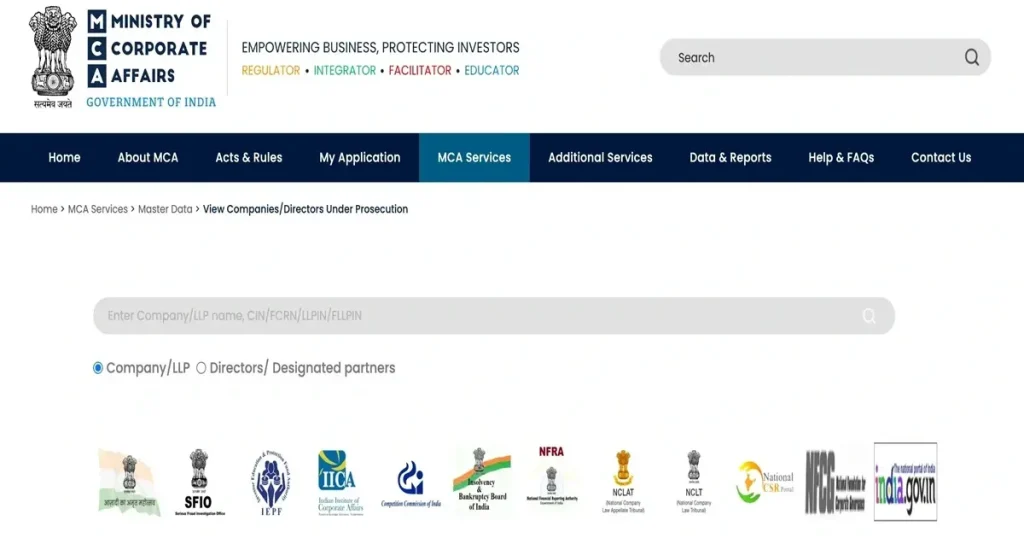
It provides a wealth of critical data, including:
- Company registration numbers and Corporate Identification Number (CIN)
- Director master data, including their unique DIN (Director Identification Number) and history of appointments
- Financial filings, annual returns, and compliance status
- Charge details on company assets, mortgages, and loan securities
- Legal notices, irregularities, and any defaulting company status
This service ensures corporate transparency, allowing users to verify companies before making investment decisions. MCA master data serves as a starting point for those seeking public documentation and official filings. The MCA21 master data also assists with conducting due diligence or engaging in business partnerships.
Who Can Access the MCA Master Data to View Registered Company Details?
The MCA data service is an invaluable tool that benefits multiple stakeholders:
- Business Owners & Entrepreneurs: Verify potential partners, suppliers, and competitors to avoid fraudulent collaborations.
- Investors & Venture Capitalists: Analyze financial reports, compliance records, and director details before funding startups or businesses.
- Auditors & Legal Professionals: Ensure regulatory compliance and review the legal standings of companies.
- Job Seekers & Freelancers: Validate an employer’s credibility before accepting job offers or freelance projects.
- Government & Regulatory Bodies: Monitor companies for regulatory compliance and fraud detection.
Did you know? India has over 1.5 million registered companies, and the MCA Master Data ensures their operations remain transparent and legally compliant!
Key Conditions to Access MCA 21 v3 Master Data
- No MCA login or registration is required
- No fees are charged for basic master data
- You only need basic company details, such as:
- Company Name
- CIN (Company Identification Number)
- Access is available through the official MCA portal or authorized platforms offering MCA data checks
Accessing the MCA master data and selecting limited attributes is free. Only a nominal fee applies for retrieving complex information.
What You’ll See in MCA Company Master Data
The MCA Master Data provides an extensive database that includes:
a. Company Registration Details
- Corporate Identification Number (CIN)
- Company name, type (Private Limited, Public Limited, etc.), and industry sector
- Date of incorporation and registered office address
- Company status (Active, Inactive, Defunct, etc.).
b. Director Master Data
- Names of directors, signatories, and their DINs
- Date of appointment and resignation history
- Directors’ association with other companies.
To look up a person by name or PAN, see our guide on how to find a DIN number.
c. Compliance & Financial Filings
- Annual returns and financial statements filed with MCA
- Charge documents (detailing loans, mortgages, and assets pledged as collateral)
- GST registration, tax filings, and compliance history
- Auditor details and financial audit records.
d. Legal Status & Notices
- The company’s active or inactive operational status
- Pending legal actions, litigation history, or compliance notices issued by MCA
- Struck-off, dormant, or blacklisted company details.
Note: Detailed filings, financial statements, and documents may require paid services or authorised access.
| Field | What it tells you |
|---|---|
| CIN | 21-character Corporate Identity Number (listing status, industry, state, year, ownership, reg. no.) |
| Company name | Registered legal name |
| ROC | Registrar of Companies office |
| Date of incorporation | When the company was registered |
| Category / sub-category | e.g. company limited by shares, non-govt company |
| Authorised capital | Maximum share capital it can issue |
| Paid-up capital | Capital actually paid in by shareholders |
| Company status | Active / Strike Off / Under Liquidation / Dormant |
| Directors / signatories | Names + DINs of current directors |
| Registered email | Company’s registered email ID |
| Charges | Loans / charges registered against the company |
| Last AGM & balance-sheet date | Latest compliance dates |
How to View Company Master Data on the V3 Portal (Step-by-Step)
Finding company and director details on the MCA Master Data V3 is straightforward. Follow these steps:
Step 1: Visit the MCA Official Website
Go to the Ministry of Corporate Affairs (MCA) portal by visiting “mca.gov.in“.
Step 2: Click on ‘MCA Services’
Go to the search options.
Step 3: Navigate to the ‘Master Data’ Section
From the MCA Services dropdown menu, select “View Companies/LLP Master Data”.
Step 4: Enter Company or Director Details
- Input the Company Name or CIN for Companies.
- Input Director Name or DIN; this is only required in the case of directors.
- Complete the CAPTCHA verification to proceed.
Step 5: Access the Data
The system will display all essential company information, including its registration, directors, financial filings, and compliance status.
Step 6: Download Additional Documents (If Required)
For financial reports, register on the MCA portal, make a nominal payment, and download the necessary records, such as balance sheets, profit & loss statements, and auditor reports.
MCA allows users to check a variety of data with options like View Signatory Details, View Index of Charges (for loans/mortgages), Enquire DIN Status, Verify DIN-PAN Details of Director, and View Public Documents (VPD).
Additionally, to get LLP details, check our detailed guide on MCA LLP Master Data.
MCA Master Data vs Certified ROC Documents
| Aspect | MCA Master Data (free view) | Certified ROC Document (paid) |
|---|---|---|
| Cost | Free | Paid (per-document MCA fee) |
| Login required | No (basic view) | Yes (MCA V3 login) |
| What you get | Live snapshot: CIN, status, directors, capital, charges summary | Full certified filings (financials, annual returns, forms) |
| Updated | Real-time from MCA21 | As-filed / historical |
| Legal validity | Reference only | Legally admissible certified copy |
| Best for | Quick verification & due diligence | Legal, audit, banking, court evidence |
MCA Master Data V2 vs MCA Master Data V3
The MCA portal has moved its public master data service from the legacy V2 system to the redesigned V3 platform.
- MCA Master Data V2: The older MCA21 portal relied on Java-based e-forms, supported only exact-name search, returned a flat screen of core fields like CIN, status, capital, and director list, and offered print as the only export option.
- MCA Master Data V3: The current MCA21 V3 portal hosts all live master data lookups under mca.gov.in/content/mca/global/en/mca/master-data/View-Companies-Directors-under-prosecution-V3. V3 replaces Java forms with browser-based web forms, adds partial-name search, links each director’s DIN directly to their full directorship history, groups filing status and charges into filterable blocks, and supports Export-to-Excel.
V3 is built for faster search, higher reliability, mobile access, and cleaner integration with third-party platforms that consume MCA corporate data.
Common Challenges While Accessing MCA Master Data and How to Resolve Them?
Even though the MCA data service is user-friendly, some common issues might arise:
- Incorrect CIN or Company Name: Double-check the format and spelling. Try using partial search options for better results.
- CAPTCHA Verification Errors: Refresh the CAPTCHA and enter the new code carefully.
- Slow Website Response: Try accessing the portal during non-peak hours for faster results.
- Payment Issues While Downloading Documents: Ensure your MCA-registered wallet has a sufficient balance.
- Difficulty in Finding Older Records: Some historical records may not be digitized; contact MCA support for assistance.
Best Practices for Accurate MCA Master Data Search
To retrieve precise and reliable information:
- Use the Exact Corporate Identification Number (CIN): It eliminates irrelevant search results.
- Check for Spelling Variations: Small typos can lead to no results; use alternative spellings if necessary.
- Utilize Advanced Search Filters: Narrow down results using additional criteria like state, industry, or registration date.
- Stay Updated: The database is frequently updated, so revisit the portal for the latest data.
- Save or Download Records: Storing documents can save time during future transactions.
Pro Tip: Including terms like “Private Limited” in your search can refine results for specific company structures.
How MCA Master Data Helps with Compliance & Due Diligence
The MCA Master Data isn’t just for research—it plays a crucial role in annual compliance by providing solutions for:
- Legal Disputes & Investigations: Evidence of compliance or violations can be sourced from company filings.
- Due Diligence for Investments & Mergers: Investors, banks, and auditors verify a company’s legal and financial standing.
- Contractual Safeguards: Before signing a business deal, verify the potential partner’s financial and compliance history.
- Regulatory Checks & Fraud Prevention: Government agencies monitor corporate activities through MCA data.
For instance, before funding a startup, investors often review the director’s master data, annual filings, and pending legal notices to assess risk.
Wrapping Up
The MCA Master Data Service is one of the most reliable ways to check company details, verify registration status, and perform a company CIN search in India. Whether you’re evaluating a business, confirming compliance, or conducting due diligence, this tool gives you direct access to accurate company records from the MCA portal.
Since the data is sourced from official government records, using MCA company master data helps reduce risk and ensures transparency before making any business or investment decisions.
