

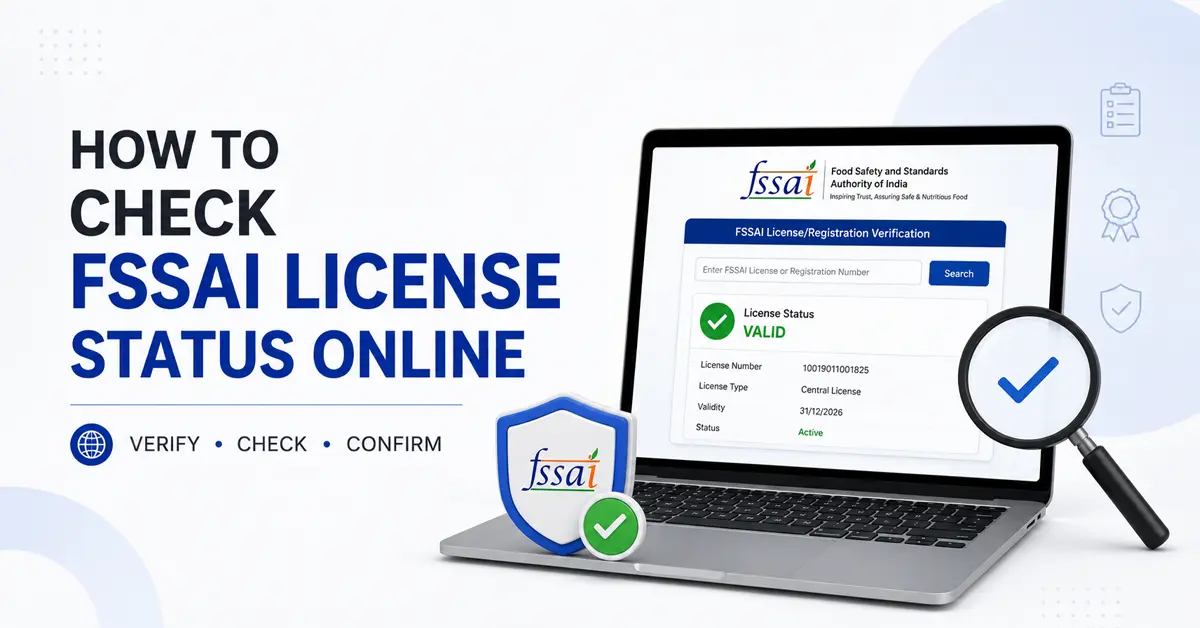
You can check your food business registration or license application status online through the official FoSCoS application tracking site at foscos.fssai.gov.in/view-application. The Food Safety Compliance System (FoSCoS), operated by the Food Safety and Standards Authority of India (FSSAI), enables applicants to view the latest available status using their 17-digit Application Reference Number (ARN).
To check your application status, visit the FoSCoS tracking page and enter the 17-digit ARN provided in your application acknowledgement. Complete the displayed CAPTCHA and click Submit to view the latest available processing status.
If your application is pending, requires clarification, or has been rejected, review the status and any instructions provided by the department before taking further action. If it is approved, check your registration certificate or license details through the official FoSCoS portal.
Key Takeaways
- You can check your FSSAI application status through the official FoSCoS portal.
- Keep your application reference number ready and enter the CAPTCHA displayed on the tracking page to submit your request.
- Review the latest status to understand the progress of your registration or license application.
- If your application is reverted for clarification, follow the instructions in the notice and submit the required information within the specified deadline.
- If your application is approved, check the registration or license details and access the certificate through the official portal.
- If tracking fails or the status remains unclear, contact the FoSCoS helpdesk at 1800-11-2100 or email [email protected].
Details Required to Check FSSAI Application Status
To check your FSSAI license status online, visit the official FoSCoS tracking page. Keep your application reference number ready before starting. You will need the following details:
- Application Reference Number (ARN): Enter the 17-digit reference number generated when you submit your application. You can find it in your application acknowledgement or related submission communications.
- Firm or Business Details: Keep your business name and other identifying details handy to help identify the correct application.
- Registered Mobile Number or Email ID: Use the contact details associated with your application if the portal requests them for verification or communication.
- CAPTCHA Code: Enter the security code displayed on the tracking page. If it is unclear, refresh the CAPTCHA and enter the new code.
You do not need your issued FSSAI license or registration number to use this particular form.
What If You Have Lost Your Application Reference Number?
If you cannot find your reference number, check your application acknowledgement and relevant emails or messages first. You can also visit the FoSCoS portal and explore the appropriate sign-in option.
FoSCoS allows existing users to log in using their 17-digit application reference number or 14-digit license/registration number. A separate sign-in option is available for small food business operators using their registered email ID or mobile number. The available option depends on the user’s account and application type.
How to Check or Verify an FSSAI License Number Online?
To verify an issued FSSAI license or registration, such as a restaurant’s or supplier’s certificate, use the official FoSCoS portal. Follow these steps:
- Step 1. Visit FoSCoS: Open the official FoSCoS website.
- Step 2. Open FBO Search: Select the public search facility for food business operators.
- Step 3. Enter the Details: Enter the 14-digit license or registration number. You can also search by business name using the available fields.
- Step 4. Complete the CAPTCHA: Enter the displayed security code and submit your search.
- Step 5. Review the Results: Check the business details and available license or registration information, including status where displayed.
For another way to check an issued certificate, use our FSSAI License number check tool. Enter the 14-digit number and review the information returned by the tool. You can also use the Food Safety Connect app to check the authenticity of an FSSAI licence or registration.
Important: Do not confuse license verification with application tracking. Use the 14-digit FSSAI license or registration number to verify an issued certificate. Use the 17-digit ARN to track a pending application.
How to Check FSSAI Application Status Online Through FoSCoS?
You can track your FSSAI registration or license application through the public tracking facility or sign in to FoSCoS for account-related actions.
Step 1: Check Your Application Status Without Logging In
The public tracking facility lets you check your application status using your reference number and the CAPTCHA displayed on the page.
- Open the tracking page: Visit the official FoSCoS application tracking page.
- Enter your application reference number: Type the reference number generated when you submitted your application.
- Complete the CAPTCHA: Enter the code displayed on the screen. Refresh it if it is unclear.
- Submit the details: Click Submit to check the application status.
- Review the result: Read the status displayed and follow any instructions provided for your application.
Step 2: Take Action or View Details Through Your FoSCoS Account
If you need to review account-related information or take action on a pending application, sign in to FoSCoS using the login option applicable to your account.
- Open the FoSCoS portal: Visit the official FoSCoS website.
- Select the food-business login option: Use the sign-in route applicable to your account.
- Enter your login credentials: Follow the portal’s authentication instructions. Depending on your account, you may need your application reference number or license/registration number.
- Open your application details: Once signed in, look for your submitted application and review its status, notifications, or pending actions.
- Respond if required: If the application has been reverted for clarification, follow the instructions provided in the portal and submit the requested information.
The options available after login may vary depending on your account and application type. For the quickest status check, use the public tracking page first.
What to Do If Your FSSAI Application is Pending?
If your FSSAI registration or license application remains pending, check the latest status through the FoSCoS application tracking page or sign in to your account. The appropriate next step after checking the status depends on whether the application is still being processed or requires clarification.
The next step depends on whether the application is still being processed, requires clarification, or has been auto-rejected.
- Check the Latest Status: Review the application record for updates, officer remarks, inspection requirements, or requests for additional information.
- Respond to Clarification Requests: If the authority reverts your application, sign in to FoSCoS and go to License/Registration → Reverted Application by Authority. Select the relevant application, review the officer’s remarks, and click Proceed to update application. Make the requested corrections, upload the required documents, and resubmit the application.
- Follow the Response Deadline: FoSCoS generally provides 30 days to respond to a reverted application. Check the deadline displayed against your application and submit the requested information within that period. Failure to respond can result in automatic rejection.
- Check the Prescribed Processing Timeline: Under FSSAI’s published licensing and registration guidance, a registration certificate is generally issued within 7 days of application. If an inspection is ordered, it must be communicated & conducted within 30 days, and registration is issued if the premises meet the applicable requirements. A license is generally issued within 60 days of receiving a complete application. Check the current requirements for your application category.
- Contact the Helpdesk or Escalate the Matter: If your application remains delayed beyond the applicable timeline, contact the FoSCoS helpdesk at 1800-11-2100 or email [email protected]. If your application is rejected, you can appeal under Section 31(8) of the Food Safety and Standards Act, 2006, through FoSCoS. Appeals for State licenses and registrations go to the State Commissioner of Food Safety, and appeals for Central licenses go to the CEO, FSSAI. For delays beyond the prescribed timeline, contact the State licensing helpdesk or the FoSCoS helpdesk.
- Request Reactivation After Auto-Rejection: If your application was auto-rejected because you did not respond to the authority’s queries within 30 days, check whether the self-reactivation option is available on your FoSCoS dashboard. Under the published procedure, this facility can generally be used only once for an application:
- Within 30 days of rejection: Self-reactivation is available without a fee, but you must give a valid reason for the delay.
- From day 31 to day 60 after rejection: Self-reactivation is available on payment of ₹50 plus applicable GST for a registration application or ₹500 plus applicable GST for a license application.
- After day 60: The standard self-reactivation facility is no longer available. Check with the relevant authority about any applicable remedy rather than assuming the application can be restored automatically.
These provisions apply to eligible auto-rejected applications caused by non-response. Rejections issued in writing on public-health grounds under Section 31(4) cannot be self-reactivated and must be appealed instead. Check the latest FoSCoS order and on-screen instructions before proceeding.
Different FSSAI Application Statuses and Their Meanings
After checking your application through FoSCoS, review the displayed status to understand its current stage and whether you need to take further action. The wording may vary by application type and processing stage.
The following table explains common application outcomes and the steps you may need to take for each one:
| Application status or outcome | What It Means and What to Do |
| Submitted | Your application has been submitted through FoSCoS. Check whether the payment and submission process is complete before waiting for further updates. |
| Processing to be Initiated | The application has been received, but processing has not yet started. Check the portal periodically for updates. |
| Under Process | The application is being reviewed by the concerned authority. Monitor the portal for updates or further instructions. |
| Inspection | The application has reached the inspection stage. The designated officer may inspect your food business premises to verify the details and compliance requirements. Follow any instructions issued by the authority. |
| Application Reverted to FBO | The application has been returned to the Food Business Operator (FBO) for clarification, corrections, or additional information. Review the officer’s remarks and submit the required response within the prescribed deadline. |
| Approved / Registration Certificate Issued | The application has been approved, and the registration certificate or license has been issued. Check the portal to access the issued document and verify its details. |
| Rejected Application | The application has been rejected. Review the reasons recorded by the authority and check the applicable procedure for filing an appeal or submitting a fresh application, as appropriate. |
These are general descriptions, not a complete list of guaranteed status labels. Always follow the status and instructions shown in your application record.
Common Reasons for FSSAI Application Delays and Rejections
An FSSAI registration or license application may be delayed or rejected if the submitted information does not meet the applicable requirements. The reason depends on the type of food business, submitted documents, and the observations made by the licensing authority.
The following issues may affect application processing. Check them before submitting an application or responding to a clarification request:
- Mismatched application details: Differences in the applicant’s name, business address, ownership details, or other information across the application and supporting documents may lead to clarification requests.
- Incorrect license category or Kind of Business (KoB): Selecting an unsuitable registration or license category can affect eligibility and processing. Choosing the wrong business activity may also cause delays. Check the applicable criteria on the official FoSCoS eligibility page.
- Incomplete or unreadable documents: Missing required documents, cropped scans, or unclear uploads may prevent the authority from verifying the application. Document requirements vary by business category.
- Missing category-specific documents: Certain manufacturing and processing units may need a layout plan and a water analysis report. Form IX and a board resolution may be required for company applications, where applicable. Check the FoSCoS document checklist for your application type.
- Incorrect or insufficient technical information: Manufacturing applications may require details about equipment, machinery, production capacity, or food categories. Missing or inconsistent information can lead to requests for corrections.
- Unresolved clarification requests: If the authority reverts an application, review the remarks and provide the requested corrections or documents through FoSCoS. Failure to respond within the stipulated period can result in automatic rejection.
- Fee-payment or application submission issues: An incomplete payment or unresolved payment discrepancy may prevent an application from progressing. Check the payment receipt and application record before making another payment.
- Inspection-related concerns: Some applications require an inspection. Issues involving the premises, equipment, sanitation, pest control, or applicable food safety requirements may need to be addressed before approval.
To identify the reason for a specific delay or rejection, review the application status and the authority’s remarks through the FoSCoS portal. Document requirements vary by business type. A delay does not necessarily mean that the application has a compliance issue.
How to Contact the FoSCoS Helpdesk for Application Status Issues?
If you cannot check your FSSAI application status online or need help understanding a delay, contact the FoSCoS helpdesk. Keep your application details ready so the support team can identify the issue.
- Helpline: Call 1800-11-2100 for assistance with FoSCoS-related issues.
- Email support: Write to [email protected] with your query.
- Official portal: Visit the FoSCoS website to track your application and access support resources.
- Application details: Include your application reference number, application type, current status, and a brief description of the issue.
- Supporting evidence: If relevant, attach a screenshot of the error message or clarification notice. Do not share your password or OTP.
- Escalation for unresolved cases: If your issue remains unresolved, check the official escalation matrix for State License and Registration or Central License applications. Follow the applicable procedure for your application category.
Need assistance checking your FSSAI application status? If your FSSAI application is pending, reverted for clarification, or auto-rejected, we can help you understand the next steps. Get assistance with reviewing application updates, preparing clarification responses, and understanding the requirements for registration or licensing. Get Help With Your FSSAI Application!
