

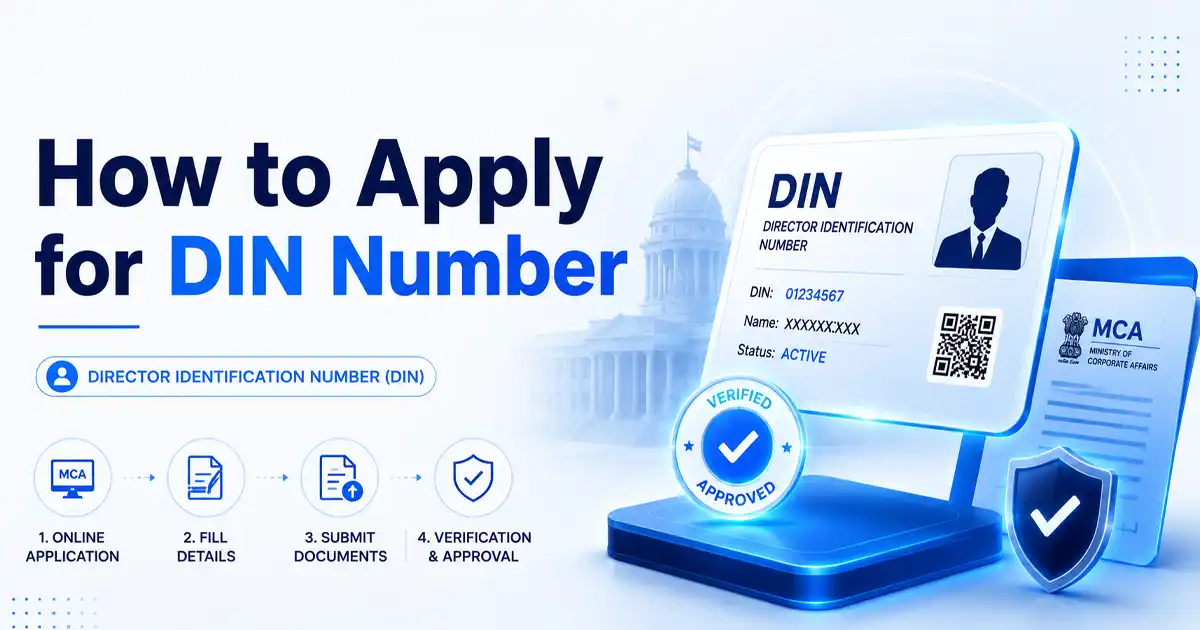
The Director Identification Number (DIN) is a unique, 8-digit number issued by the Ministry of Corporate Affairs (MCA) to individuals who aspire to become directors in India. The MCA allots a DIN once which then serves as a lifetime identification number for the director. You need a DIN before becoming a director in a Private or Public Limited Company, or a designated partner in an LLP.
This requirement is set out in the Companies Act, 2013. Under Section 152(3), no person can be appointed as a director without first being allotted a DIN. You apply for it through Form DIR-3 (for an existing company) or SPICe+ (during incorporation), and keep it active by filing DIR-3 KYC. The DIN also enables regulatory authorities to track directors and ensure adherence to the law.
Key Takeaways
- A DIN is a unique, 8-digit number the MCA issues to company directors, and it stays valid for life.
- You can apply through Form DIR-3 (to join an existing company) or SPICe+ (while incorporating a new one).
- The government fee is ₹500 for DIR-3, with no separate fee when the DIN is allotted through SPICe+.
- The MCA usually allots a DIN within 1 to 3 working days.
- Each person can hold only one DIN, which works across every company and LLP they join.
- Under the 2026 rules, you file DIR-3 KYC once every three years by 30 June, not annually.
- If you miss the KYC deadline, the MCA deactivates your DIN, and reactivation costs a ₹5,000 late fee.
Who Needs a DIN Application Form?
Any individual who wants to become a company director in India must obtain a DIN application form. Here are the ones who mandatorily need a DIN:
- Aspiring directors, before they can be appointed.
- Directors of Private Limited, Public, OPC, and Section 8 companies.
- Designated partners of an LLP.
- Existing directors, who must keep their DIN details updated when information like name or address changes.
- Foreign nationals acting as directors in an Indian company, with notarized and apostilled documents.
Note: The MCA integrated the earlier DPIN (Designated Partner Identification Number) with DIN, effective 9 July 2011. Since then, no fresh DPIN has been issued, and a single DIN serves as the identifier for both company directors and LLP designated partners.
Who does not need a DIN?
Not every business role requires a DIN. You do not need one if you are a:
- Sole proprietor running a proprietorship firm
- Partner in a traditional partnership firm (not an LLP)
- Karta of a Hindu Undivided Family (HUF)
In short, a DIN is used only for company directors and designated partners in LLPs. It is not required for other types of business structures. The MCA uses the DIN to identify directors and monitor compliance across companies and LLPs.
Who is Eligible to Apply for a DIN?
Before you apply, it’s worth confirming you meet the basic eligibility conditions. The MCA allots a DIN only to individuals who satisfy the following:
- Must be an individual: Only a natural person can hold a DIN, not companies or firms.
- Must be at least 18 years old: Minors cannot be appointed as directors.
- Valid identity proof: PAN for Indian nationals, passport for foreign nationals.
- Only one DIN per person: Section 155 prohibits holding a second DIN.
- Not disqualified: Section 164 disqualifies a person from appointment/reappointment as a director. You must not be an undischarged insolvent, of unsound mind as declared by a court, or convicted of certain offences.
Note for foreign applicants: A person who is a national of a country that shares a land border with India must obtain security clearance from the MCA before applying. This is a mandatory additional step for such applicants.
Documents Required for DIN Application
Applicants must submit valid documents to prove identity and address, and the MCA verifies them before approving a DIN. The documents for the DIN application are:
| Document Type | Details |
| Proof of identity | PAN card (mandatory for Indian nationals); Passport (mandatory for foreign nationals). |
| Proof of address | Aadhaar card, Voter ID, Driving Licence, latest electricity/telephone bill, or bank statement, not older than 2 months. |
| Photograph | A recent passport-size colour photograph of the applicant. |
| Digital Signature Certificate (DSC) | A valid Class 3 DSC in the applicant’s name is mandatory to sign Form DIR-3 digitally. |
| Professional certification | The form must be attested by a practising CA, CS, or CMA. |
| For foreign nationals | A passport is mandatory, and all documents must be notarized and apostilled (and translated to English if in another language). |
Tip: Your name and date of birth must match exactly across your PAN and the application. A PAN mismatch is one of the most common reasons DIN applications get rejected.
How to Apply for a DIN Number? Step-by-Step Guide
There are two ways to get a DIN, depending on your situation:
- Path 1. Form DIR-3: If you’re joining an existing company or LLP as a director.
- Path 2. SPICe+ Form (INC-32): If you’re incorporating a new company.
Here’s how the two routes compare at a glance:
| Factor | DIR-3 (Standalone) | SPICe+ (INC-32) |
| When to use | Joining an existing company/LLP | Incorporating a new company |
| Number of DINs | One per application | Up to 3 directors |
| Government fee | ₹500 | No separate DIN fee (part of incorporation) |
| Timeline | Usually 1–3 working days | Allotted along with the incorporation |
| Certification | CA/CS/CMA required | Handled within the SPICe+ process |
Path 1: Apply via Form DIR-3
This is the standalone route to get a DIN when joining an existing company as a director. The steps are simple, but accurate information and documents are essential:
Step 1: Obtain a DSC
Get a valid Class 3 Digital Signature Certificate (DSC) in your name from an MCA-approved certifying authority (eMudhra, (n)Code Solutions, TCS, etc.). This DSC is used to sign Form DIR-3.
Step 2: Fill Form DIR-3 on the MCA Portal
Log in to the MCA V3 portal, open Form DIR-3, and enter your personal and contact details. Then upload the required documents, including:
- PAN card
- Address proof (such as Aadhaar, Passport, Voter ID, or Driving Licence)
- Recent passport-size photograph
- Company’s CIN (if being appointed to an existing company)
- Board Resolution approving your appointment (if joining an existing company)
Step 3: Get the Form Certified
Use your DSC along with the DSC of a practising CA, CS, or CMA who verifies and certifies your details. Online Chartered Accountant Services can ensure this certification is accurate and MCA-compliant.
Step 4: Pay the Fee
Pay the ₹500 government fee on the MCA portal. The system then generates a Service Request Number (SRN) to track your application. (Professional fees, if applied, are separate.)
Step 5: Verification and Issuance
The MCA verifies your application, usually within 1–3 working days. Once approved, your DIN is allotted and confirmed by email. Applications are rejected when details mismatch, documents are missing, or the DSC has expired.
Path 2: Apply via SPICe+ (For New Companies)
If you’re starting a new company, you don’t need to file DIR-3 separately. The SPICe+ (INC-32) form used for company incorporation allots DINs for up to three proposed directors at the same time the company is registered.
There’s no separate DIN fee, and the DIN appears on your Certificate of Incorporation, making this the simplest route for first-time founders.
Whichever route you take, the outcome is the same: a single, lifetime DIN linked to your identity as a director.
How to Search for a DIN Number?
The MCA portal provides publicly available information about DIN status and the companies in which the individual serves as a director. Follow these steps to search for a DIN number:
- Visit the MCA Portal: Go to the official MCA website.
- Open the DIN Search Service: Navigate to the MCA Services section and select the option that allows you to search for a director using the DIN or view director details.
- Enter the Required Details: If you already know the DIN, enter it in the search field. If you are trying to identify a director’s DIN, use the appropriate MCA search service by entering the individual’s name and other required details, if available.
- Complete the Verification: Enter the displayed captcha code and submit your request to access the director’s information.
- Review the Director Details: The MCA portal will display the available information associated with the DIN, which may include:
- Director’s name: DIN status (Active, Deactivated, or Disqualified, where applicable)
- Date of allotment: Companies in which the individual is or has been a director
- Other publicly available directorship details
Cross-check the DIN and the director’s details before using them for company incorporation, annual filings, KYC verification, due diligence, or any other compliance-related purpose.
DIR-3 KYC: How to Keep Your DIN Active (2026 Rules)
Getting a DIN is only the first step; you also have to keep it active by filing DIR-3 KYC. These rules changed significantly under the Companies (Appointment and Qualification of Directors) Amendment Rules, 2025 (notified 31 December 2025, effective 31 March 2026), so it’s important to follow the current requirements:
| Aspect | Earlier Rule | New Rule (from 31 March 2026) |
| Filing frequency | Every year | Once every 3 consecutive financial years |
| Due date | 30 September | 30 June of the relevant year |
| Form | DIR-3 KYC e-form / Web | Unified DIR-3 KYC Web form |
Every individual holding a DIN as of 31 March of a financial year must file once every third financial year. However, no filing is required in the two intermediate years if there are no changes in the DIN details.
For example, directors who completed KYC up to FY 2025–26 are covered until their next filing, due by 30 June 2028.
How to File DIR-3 KYC Online?
Follow these steps:
- Log in to the MCA portal using your DIN credentials.
- Open the DIR-3 KYC web form and verify your pre-filled details.
- Complete OTP verification on your registered mobile number and email.
- Submit the form; there’s no fee if you file within the due date.
A routine triennial filing with no changes does not require a DSC or professional certification, which is a key relief under the new rules.
How to Update Your DIN Details (Form DIR-6)?
If your particulars change before your next triennial filing, update them with DIR-6 on time has to be followed:
- Mobile, email, or residential address, update through the DIR-3 KYC Web form (event-based). This requires your DSC and certification by a practising CA, CS, or CMA.
- Other particulars, such as a change in name, are reported through Form DIR-6. DIR-5 is used for surrender/cancellation of a DIN.
What Happens if You Miss the DIR-3 KYC Due Date?
If you miss the 30 June deadline, the MCA deactivates your DIN. A deactivated DIN blocks you from signing any MCA form, filing returns, or acting as a director. To reactivate it, you must file DIR-3 KYC Web and pay a late fee of ₹5,000.
How to Check DIN Application Status?
After submitting your DIN application, you can track its status online on the MCA portal in a few steps:
- Visit the MCA portal and go to the DIN Services section under “MCA Services.”
- Select the option to enquire DIN status.
- Enter your SRN or your proposed DIN, then click Submit.
- Review the status displayed for your application.
The portal will show one of four statuses:
- Approved: DIN has been successfully allotted.
- Pending for Processing: The application is still under review.
- Resubmission Required: Corrections or additional documents are needed.
- Rejected: The application was declined, with reasons mentioned.
What to do if Your DIN Application is Pending or Rejected?
Pending applications usually take a few working days to process. If the status needs action:
Rejected: Review the reason carefully and submit a fresh application with accurate details.
Key Benefits of DIN and Its Legal Grounds
A Director Identification Number (DIN) strengthens corporate governance by bringing accountability and transparency to how directors are tracked and verified in India. Beyond being a legal requirement, it offers real, practical advantages for directors and businesses alike:
- One identity for life: A single DIN works across every company and LLP you ever join, so directors need to apply only once.
- Builds trust and credibility: A DIN confirms you as a legitimate, verifiable director, which strengthens confidence among investors, banks, and business partners.
- Protects against fraud: Because each person holds only one DIN, it blocks duplicate or fake directorships and shields your identity from misuse.
- Faster, smoother compliance: A valid DIN speeds up MCA filings, approvals, and director appointments, keeping your business moving without delays.
Legal Framework for DIN Application
The Companies Act, 2013, along with the Companies (Appointment and Qualification of Directors) Rules, 2014, lays down the legal foundation for obtaining a DIN.
The key provisions that govern how you apply for and receive a DIN are summarized below:
| Legal Provision | What It Covers |
| Section 152(3) | No person can be appointed as a director without a DIN. |
| Section 153 | An individual must apply to the Central Government for a DIN, using Form DIR-3 (for an existing company) or SPICe+ (for a new company). |
| Section 154 | The Central Government allots the DIN, generally within one month of application. In practice, it is usually allotted within 1 to 3 working days. |
| Section 155 | A person cannot hold more than one DIN; duplicates are prohibited. |
| Rule 9 | Prescribes Form DIR-3 and the supporting documents for the DIN application. |
Together, these provisions give each director a unique identity, helping prevent misuse and strengthen corporate governance.
Common Mistakes to Avoid During DIN Application
The MCA may reject or delay DIN applications if errors are found. To secure quick approval, keep these points in mind:
- Submit accurate documents: Upload only valid, recent proofs, and ensure your details match across PAN, Aadhaar, and other records.
- Use a valid DSC: File with an active Class 3 DSC issued in the applicant’s name.
- Attach proper attestation: Have documents attested by a practising CA/CS/CMA. Foreign nationals must get them notarized and apostilled.
- Provide correct company details: For Form DIR-3, enter the correct CIN and attach a certified copy of the board resolution.
- Upload a clear photograph: Use a recent, high-resolution passport-size photo; the MCA rejects blurred or mismatched images.
- Update DIN details promptly: Report any changes in name, address, or nationality through Form DIR-6 or the DIR-3 KYC Web form.
- File DIR-3 KYC on time: Missing your KYC due date (now 30 June, under the triennial cycle) leads to DIN deactivation and a ₹5,000 reactivation fee.
- Avoid duplicate applications: Apply only once; multiple applications for the same individual can trigger cancellation or legal issues.
Applicants who stay diligent during the application process reduce the risk of errors and rejections.
