Digital Signature Certificate (DSC) Online in India
Apply for a Digital Signature Certificate (DSC) online with RegisterKaro for MCA filings, GST compliance, income tax, e-tendering, DGFT services, and other digital transactions.
 Class 3 DSC for Government & Business FilingsDGFT DSC for Import-Export ComplianceIndividual & Organizational DSC OptionsSecure Digital Signing with Verified IdentityOnline DSC Application & Renewal Support

 What Sets Us ApartWhat Sets Us Apart
What is a Digital Signature Certificate in India?
The DSC full form is Digital Signature Certificate. A DSC is a digital certificate that verifies the identity of an individual or organization for electronic transactions and digital signing in India. It helps users sign documents and complete online filings where digital authentication is required. The Controller of Certifying Authorities (CCA) regulates licensed Certifying Authorities that issue DSCs under the Information Technology Act, 2000.
A DSC is useful for businesses, professionals, and individuals who use government and other online services that require or accept digital signatures. It supports activities such as MCA filings, income tax compliance, e-tendering, DGFT services, and other digital transactions, depending on the requirements of the concerned portal.
Why is a Digital Signature Certificate Needed?
A DSC helps individuals and businesses authenticate electronic documents and complete secure online transactions. It uses public key cryptography to verify the signer's identity and protect the integrity of digitally signed records.
A DSC is useful for the following purposes:
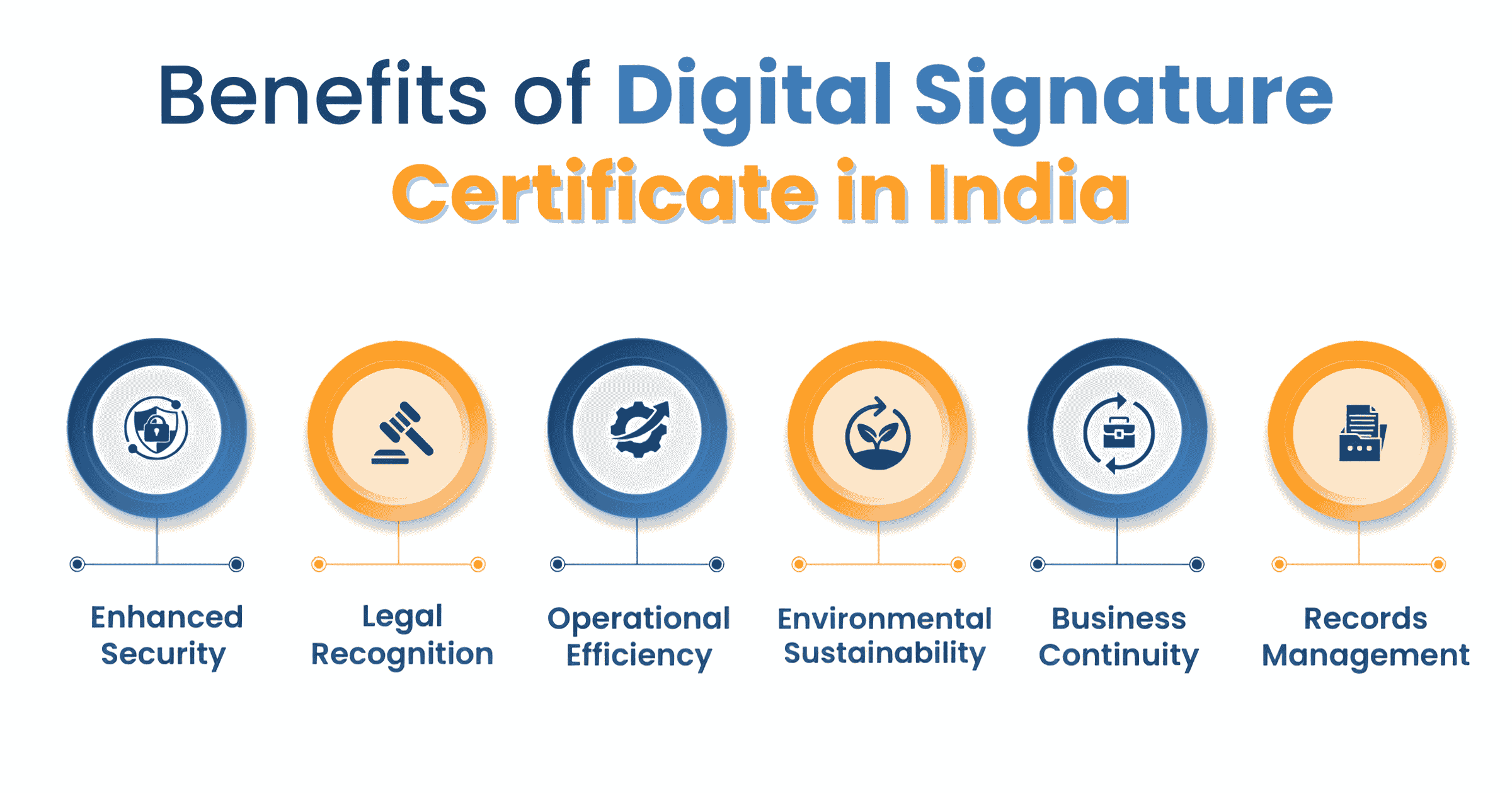
- Identity Authentication: A DSC links a digital signature to the verified identity of the certificate holder. This helps confirm who signed an electronic record.
- Non-Repudiation: A digital signature provides verifiable evidence connecting the signer with the signed electronic record. This supports accountability in digital transactions.
- Document Integrity: Digital signatures help detect changes made to an electronic document after signing. This protects the signed information from unauthorized alteration.
- Legal Recognition: The Information Technology Act, 2000, provides legal recognition to digital signatures based on asymmetric cryptography. Digitally signed electronic records receive legal recognition under the Act.
- Faster Online Compliance: A DSC allows users to authenticate documents and complete eligible digital filings without relying on physical signatures. It supports e-governance and online business processes.
How Does a Digital Signature Certificate Secure Online Transactions?
A DSC uses Public Key Infrastructure (PKI) to authenticate signers and protect electronic documents. It works through a mathematically linked public and private key pair. The private key creates the digital signature, while the public key helps verify it.
1. Verifies the Signer's Identity
A Certifying Authority verifies the applicant's identity before issuing a DSC. The certificate links the verified identity with the public key, allowing others to verify the signer associated with a digital signature.
2. Protects Document Integrity
A digital signature helps detect changes made to a document after signing. The verification process checks whether the signed information remains unchanged, making unauthorized alterations detectable.
3. Supports Non-Repudiation
A digital signature links the signing activity to the signer's signature creation data. This provides evidence connecting the signer with the electronic record and supports non-repudiation under the applicable legal framework.
4. Provides Legal Recognition
The Information Technology Act, 2000, gives legal recognition to electronic signatures and provides the legal framework for digital signatures based on asymmetric cryptography. The CCA states that digital signatures are accepted on par with handwritten signatures, subject to applicable legal requirements and exceptions.
5. Supports Secure Online Compliance
DSCs support electronic authentication across government and business platforms that accept or require digital signatures. The CCA identifies applications such as MCA, e-procurement, customs, and DGFT among the e-governance systems using digital signatures.
6. Enables Verifiable Digital Transactions
The recipient can verify a digital signature using the signer's certificate and the relevant certificate chain. This allows the system to confirm the certificate's validity and check whether the signed information has been altered.
Who Needs a Digital Signature Certificate?
A DSC may be required by individuals, businesses, professionals, and organizations for online services that require or accept digital signatures. The requirement depends on the portal, user category, and transaction.
- Companies and LLPs: Use DSC for applicable MCA filings and specified GST and income tax processes.
- Businesses and taxpayers: May need DSC for specified income tax returns, statutory forms, and other e-Filing services.
- Exporters and importers: May require DSC for applicable DGFT and foreign-trade services.
- Bidders and contractors: May require DSC for e-tendering and e-procurement platforms that require digital signing.
- Chartered Accountants and other professionals: May need a DSC to register and perform specified professional services on government portals. For example, the Income Tax Department requires a valid DSC for CA registration on its e-Filing portal.
- Individuals: May obtain a DSC when a government, business, or other online service requires or accepts digital signatures.
Signature, Encryption, and Combo DSC Certificates: Types
DSCs can serve different purposes, depending on whether the certificate supports electronic signing, encryption, or both. The certificate type should match the requirements of the concerned portal or application.
1. Signature Certificate
A Signature Certificate enables the holder to digitally sign electronic records and documents. The signature uses the subscriber's private key, while the corresponding public key allows the recipient or system to verify the signature.
Signature certificates are commonly used for applicable MCA filings, income tax submissions, GST processes, e-tendering, DGFT services, and other platforms that require digital signing. The required assurance level depends on the application.
2. Encryption Certificate
An Encryption Certificate supports the encryption of electronic information to protect its confidentiality. The encryption process uses the recipient's public key, while the corresponding private key allows the intended recipient to decrypt the information.
Encryption serves a different purpose from digital signing. A signature establishes the signer and helps verify document integrity, while encryption protects information from unauthorized access. The CCA specifically states that an individual's signature and encryption certificates should be separate.
3. Combo Certificate
A Combo DSC combines signing and encryption capabilities in a single product offering. It can support both digital signing and encryption where the issuing Certifying Authority and the concerned application permit that configuration.
However, a Combo DSC does not mean that signing and encryption perform the same function. The signing component authenticates the signer and verifies the integrity of the signed record, while the encryption component protects the confidentiality of electronic information.
Applicants should confirm the certificate configuration required by the concerned portal or application before selecting a Signature, Encryption, or Combo DSC. The CCA regulates the certificate framework and licenses Certifying Authorities to issue certificates under the India PKI framework.
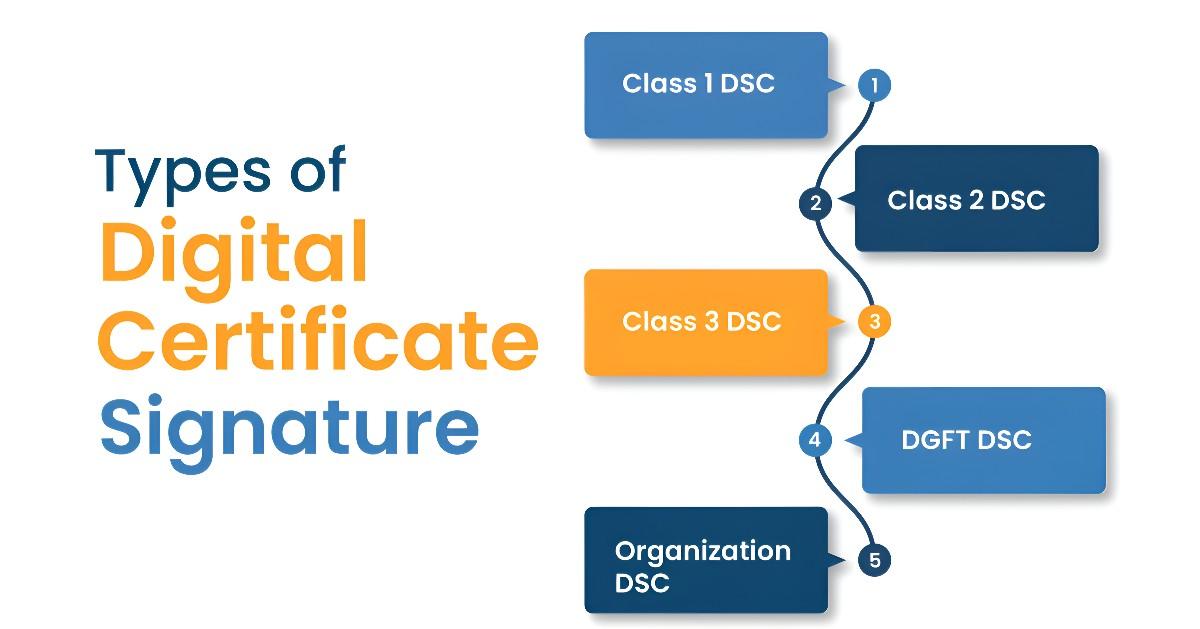
DSCs are also categorized by assurance class; Class 3 is the only class currently issued. See Class 2 vs Class 3 DSC for the difference.
Documents Required for Getting a Digital Signature Certificate
The documents required for a DSC depend on the applicant and the verification method selected. The CCA recognizes paper-based verification, Aadhaar eKYC, and banking KYC or eKYC.
For Individual DSC
For an individual DSC, the required documents may include:
- PAN Card: Required under the PAN eKYC route.
- Government ID with Address: Required under the PAN eKYC route.
- Photograph and Contact Details: Required for the applicable verification process.
With Aadhaar eKYC, supporting documents are not required.
NRIs and foreign nationals follow a similar process with additional documents (notarized/apostilled passport, overseas address proof, video KYC). See our guide on DSC for NRIs and Foreign Nationals.
For Organizational DSC
For an organizational DSC, the required documents may include:
- Authorized Signatory's KYC: PAN and applicable identity or address proof.
- Organization Proof: Certificate of Incorporation, registration document, partnership deed, or applicable entity proof.
- Organization PAN: PAN of the company, LLP, firm, or other organization.
- Authorization Proof: Documents confirming the authorized person's authority to represent the organization.
The CA verifies the organization's existence and the authorization of its signatory before issuing the DSC.
How to Apply for a Digital Signature Certificate (DSC)?
Applicants can apply for a Digital Signature Certificate online through a licensed Certifying Authority or an authorized service provider. RegisterKaro allots DSC at just ₹2,500 for all applicants. Here’s how you can apply:
- Select the DSC: Choose the required certificate type, purpose, and validity period.
- Submit Your Details: Enter the required personal or organizational information and upload the applicable documents.
- Complete KYC Verification: Complete the identity verification method prescribed by the Certifying Authority.
- Pay the Fee: Pay the applicable DSC charges online.
- Receive the DSC: After the Certifying Authority completes verification and approves the application, download or install the DSC on the applicable secure device.
What Will You Get After Purchasing a DSC?
After the Certifying Authority approves the application and completes the required verification, you receive the Digital Signature Certificate (DSC) issued in your name. The private key must be generated and stored in a compliant hardware cryptographic token. You will receive:
- Digital Signature Certificate: The certificate issued by the licensed Certifying Authority.
- USB Crypto Token: A hardware token used to securely store the private key for applicable DSCs. New DSC tokens must be FIPS 140-3 certified (effective 21 September 2026), and Class 3 verification follows the CCA's Identity Verification Guidelines v2.5.
- Token PIN: A PIN used to access the cryptographic token.
- Certificate Details: Details such as the certificate holder's identity, public key, validity period, and certificate information.
The exact delivery and token arrangements may vary according to the certificate type and Certifying Authority.
How to Check the Validity of a Digital Signature Certificate?
You can check the validity of a DSC in several ways:
- Through the CA's Website: Most Certifying Authorities offer an online tool where you can enter the DSC serial number to check its validity.
- Using Adobe Acrobat Reader: When you open a PDF signed with a DSC, Adobe Acrobat Reader will often display the validity status of the signature and the certificate used. You can click on the signature panel to view more details.
- DSC Management Utility: The software that comes with your USB crypto token usually has an option to view certificate details and expiry dates.
Expiry and Renewal of DSC
A DSC remains valid only for the period stated in the certificate. Check the expiry date before using the DSC for filings or other digital transactions. If the DSC expires, obtain a new certificate instead of relying on the expired certificate for new signatures.
How to Check Your DSC Expiry Date
Certifying Authorities (CAs) and token providers often send automated reminders as your DSC approaches its expiry, but it's always best to know how to check it yourself.
- USB Crypto Token Software: Plug in your DSC token and open its management software (e.g., ePass Token Manager, mToken CryptoID Manager). After entering your PIN, navigate to the "Certificates" section to view your DSC's issue and expiry dates. Some tokens even provide automatic expiry reminders.
- Computer's Certificate Manager:
-
- Windows: Search "certmgr.msc" in the Start Menu. Go to "Personal" > "Certificates," right-click your DSC, and check "Properties" or "Details" for "Valid To" dates.
- macOS: Use the "Keychain Access" utility similarly.
- Certifying Authority (CA) Website: Visit the official website of your DSC's issuing CA. Look for a "Check DSC Status" or "DSC Validity" section. Enter your DSC's serial number, application ID, or sometimes PAN/Aadhaar to see its current status and expiry date. This is useful when you're away from your token.
How to Renew a DSC?
Renewal requires a fresh certificate issuance process, including the applicable verification requirements. You can renew your DSC through the Certifying Authority by following these steps.
- Submit the Renewal Request: Select the required DSC type and validity period.
- Complete the Application: Enter your updated personal or organizational details.
- Complete Verification: Complete the identity verification method prescribed by the Certifying Authority.
- Make the Payment: Pay the applicable renewal charges.
- Receive the Renewed DSC: After approval, download or install the renewed DSC on the applicable crypto token and register it again on portals that require the new certificate.
Renewal of an Expired vs. a Non-Expired DSC
The timing of your renewal significantly impacts the ease and nature of the process:
1. Non-Expired DSC (Timely Renewal):
Renewing your DSC before its expiry is recommended to avoid interruptions in your digital signing capabilities. Initiate renewal 7-30 days in advance to allow time for verification or processing delays, ensuring seamless compliance without missed deadlines or downtime.
2. Expired DSC (Effectively a New Application):
If your DSC has expired, you cannot renew it and must apply for a new one. This involves selecting the DSC type, completing a new application form, undergoing full KYC (including video verification if needed), making a new payment, and receiving the certificate on a new or existing crypto token. Timely renewal helps avoid this more time-consuming process.
Documents and Verification for DSC Renewal
To ensure the highest level of security and compliance, the documents and verification methods required for DSC renewal are generally the same stringent ones as those for a fresh application. This ensures that your identity remains thoroughly validated and securely linked to your updated DSC.
You will need to provide:
- Proof of Identity: Mandatory documents like your PAN card are essential.
- Proof of Address: Valid documents such as your Aadhaar card, passport, driving license, voter ID, or recent utility bills (not older than 3 months) are required.
- Passport Size Photograph: A recent, clear passport-size color photograph of the applicant.
- For Organizational DSCs, in addition to the authorized signatory's documents, the business entity's registration proof (e.g., Certificate of Incorporation for companies), the organization's PAN card, and a fresh authorization letter (often requiring a Board Resolution for companies) signed by the appropriate authority will also be required, mirroring the requirements for a brand-new organizational DSC application.
Digital Signature Certificate Token
A DSC is not just a digital file; it's typically stored securely on a physical USB crypto token, often referred to as a DSC token or e-token. This compact, portable device is designed to hold your unique private key in a tamper-proof manner, providing an extra layer of security for your digital identity.
The DSC token is a hardware device, similar to a pen drive, that physically secures your DSC. When you receive your DSC online, it's usually delivered embedded within this token. This ensures that your private key is never exposed or copied, making it highly secure. This physical security is crucial in the digital signature certificate process.
How to Download a Digital Signature Certificate?
The following is the process to download the DSC certificate:
- Install Token Drivers: First, install the specific drivers for your USB token (e.g., ePass2003, Proxkey) from your CA's website. This step is crucial for your computer to recognize the token.
- Connect USB Token: Plug your USB token into your computer's USB port.
- Visit the CA Portal: Go to the official website of your Certifying Authority (e.g., e-Mudhra, Sify, Capricorn). Look for a "Download Certificate" or "Customer Login" section.
- Log in & Enter Details: Log in using your DSC application/reference ID and the unique "challenge code" sent to your registered mobile/email.
- Run Download Utility: Launch the CA's specific download utility (often requiring Java).
- Enter Token PIN: Provide your USB token's password or PIN when prompted to authorize the download.
- Download & Install: Follow the on-screen instructions to download and install the DSC directly onto your USB token. Do not remove the token during this process.
- Verify: After completion, check your token manager software to confirm the DSC is present on the token.
How to Check DSC Status Online?
Follow the steps below to check your DSC status online:
- Go to the CA Website: Visit the official website of the Certifying Authority where you applied for your DSC.
- Find "Track Status": Locate the "Track Application" or "Check Status" tool on their portal.
- Enter Details: Input your DSC application number or reference ID. You may also need to enter a CAPTCHA.
- View Real-Time Updates: The system will display your application's current status (e.g., "Under Verification," "Approved," "Issued," "Rejected," or if "Query Raised" by the CA).
Applications of Digital Signature Certificates
A DSC helps individuals and businesses authenticate electronic documents and complete secure online filings. Its use depends on the requirements of the concerned government portal or service.
1. MCA and Company Filings
Companies and LLPs use DSCs to digitally sign applicable forms and documents filed through the MCA portal. MCA guidance requires authorized persons to use a DSC for electronic filings under the MCA21 system.
2. GST Compliance
Eligible taxpayers can use a DSC to electronically sign GST applications and returns. DSC is mandatory for companies and LLPs in specified GST processes. Other taxpayers may use Aadhaar-based e-Sign or Electronic Verification Code (EVC) where the GST portal permits these options.
3. Income Tax Filing
Businesses and specified taxpayers use DSC for income tax filings where the Income Tax Department requires or permits digital signing. The applicable requirement depends on the taxpayer and the filing involved.
4. E-Tendering and E-Procurement
Businesses use DSCs to authenticate bids, applications, and documents submitted through online tendering and procurement systems. The specific certificate requirements depend on the concerned tender or portal.
5. DGFT and Foreign Trade
Exporters and importers may use DSCs for authentication on DGFT and other foreign-trade systems where digital signing is required. The certificate type and registration requirements depend on the relevant DGFT service.
6. Digital Document Signing
A DSC can authenticate electronic documents and help establish the signer's identity and document integrity. Businesses can use digital signatures for applicable agreements, forms, declarations, and other electronic records.
DSC for Statutory Compliance
A DSC supports electronic filings and statutory submissions on government portals. The requirement depends on the taxpayer or entity, filing, and portal.
1. GST Compliance
Companies and LLPs must use DSC in specified GST processes. Other taxpayers may have alternative verification options where the GST portal permits them.
- GST Registration: DSC is required for companies and LLPs during specified registration processes.
- GST Returns: Taxpayers can file applicable returns such as GSTR-1 using DSC or EVC, as permitted by the GST portal.
- GST Refunds: DSC may be required for applicable refund applications, depending on the taxpayer and filing process.
- Other GST Services: The applicable authentication method depends on the GST service and taxpayer category.
2. Income Tax
A DSC supports electronic income tax filings and statutory submissions where the Income Tax Department requires digital signing.
- Income Tax Returns: Certain taxpayers must use a DSC for applicable return filing and verification requirements.
- Tax Audit: For Tax Year 2026-27 under the Income Tax Act, 2025, the tax-audit requirement falls under Section 63. The Income Tax Department requires the prescribed tax-audit form to be uploaded by a Chartered Accountant using DSC.
- Tax Documents: Taxpayers and professionals may use DSC for applicable forms, reports, and other submissions that require digital signing.
3. MCA Filings
Companies and LLPs use DSC for applicable electronic filings and submissions through the MCA portal. Authorized signatories and professionals use DSC where the relevant MCA form requires digital authentication.
- Company Incorporation: Authorized subscribers and professionals use DSC for applicable incorporation documents and forms submitted through the MCA system.
- Annual Filings: Companies and LLPs use DSC for applicable annual filing forms and related submissions.
- Other MCA Compliance: DSC supports applicable filings relating to directors, registered office changes, share capital, charges, and other corporate changes.
4. E-Tenders
Participating in government and private e-tendering processes or specified IEC and DGFT applications requires a DSC for secure bid submission.
- Tender Submission: Bids submitted online must be digitally signed to prove the bidder's identity and prevent tampering.
- Tender Documents: Downloading and uploading tender documents often require a DSC.
- Online Auctions: Participating in online auctions typically requires a DSC for secure participation.
5. PF (Provident Fund) Filings
Employers use a DSC to submit Provident Fund-related documents.
- EPFO Returns: Filing Electronic Challan cum Return (ECR) requires a DSC for authentication.
- KYC Updates: Updating KYC details of employees often requires a DSC.
- Other PF Transactions: Any other online transactions related to PF require a DSC for security.
6. Import Export Code (IEC) Registration
Obtaining and managing an IEC (Import Export Code) from the Directorate General of Foreign Trade (DGFT) requires a DSC.
- IEC Application: Applying for a new IEC.
- IEC Modification: Any changes or modifications to the IEC also require a DSC.
- DGFT Applications: Various applications and schemes related to foreign trade require a DSC for secure processing.
Digital Signature vs Digital Signature Certificate
A DSC and a digital signature are closely connected, but they are not the same. A DSC identifies the signer and contains the public key, while the digital signature authenticates an electronic record.
| Basis | Digital Signature Certificate | Digital Signature |
| Meaning | A certificate issued by a licensed Certifying Authority (CA) that links the signer's identity with a public key. | An electronic authentication created when a subscriber signs an electronic record using the private key. |
| Purpose | Establishes trust in the signer's identity and public key. | Confirms the authenticity of the signed electronic record and helps detect changes after signing. |
| Who issues or creates it? | A CCA-licensed Certifying Authority issues the DSC after completing the required verification. | The subscriber creates the digital signature using the private key associated with the DSC. |
| Key involved | Contains the signer's public key. | Uses the signer's private key to create the signature. |
| Where it is used | Provides the digital identity required for electronic signing and applicable online services. | Is attached to an electronic record so the recipient can verify the signature. |
In simple terms: The DSC establishes your verified digital identity, while the digital signature is what you use to sign an electronic record.
Connect with RegisterKaro and let our experts handle the legal hassle while you grow your business.
Frequently Asked Questions (FAQs)
What is a Digital Signature Certificate (DSC)?
A Digital Signature Certificate (DSC) is a digital credential that helps verify your identity during electronic transactions. A licensed Certifying Authority issues the certificate after completing the prescribed identity verification process for the applicant. Businesses and individuals use DSCs to sign electronic records and complete online filings where digital authentication is required.
How can I apply for a DSC online?
You can apply for a DSC online through a licensed Certifying Authority or an authorized service provider. RegisterKaro can assist with the application, required details, verification, and issuance process through a licensed Certifying Authority. First, select the required certificate type, complete verification, make payment, and follow the approved issuance process.
How much does a DSC cost in India?
The cost of a Digital Signature Certificate varies by certificate type, validity period, and Certifying Authority. RegisterKaro charges ₹2,500 per DSC. The applicable cost may vary for different certificate configurations or additional requirements.
What documents are required for a DSC?
DSC document requirements depend on the certificate type, applicant category, and verification method for each application. Applicants may need PAN, identity or address proof, contact details, and photographs during verification, depending on the selected method. Organizations may also provide entity documents and authorization proof when required for certificate issuance.
Is Aadhaar mandatory for getting a DSC?
Aadhaar is not the only verification method available for DSC identity verification in India. The CCA also permits paper-based verification and banking KYC or eKYC, subject to the applicable process. Therefore, applicants can choose another accepted verification method when Aadhaar-based verification does not apply or is not suitable.
What is a Class 3 DSC used for?
A Class 3 DSC is used for online activities that require stronger identity assurance and secure private-key storage. Government e-tendering portals commonly require Class 3 certificates, while other platforms may specify their own requirements. The CCA requires Class 3 private keys to remain on validated hardware cryptographic devices for secure storage.
Is DSC mandatory for GST filing?
DSC is mandatory for companies and LLPs in specified GST processes, including applicable electronic submissions. Other taxpayers may receive alternative verification options such as Aadhaar-based e-Sign or EVC where the GST portal permits them. Therefore, DSC requirements depend on the taxpayer category and the specific GST service being completed.
Is DSC mandatory for income tax filing?
DSC is mandatory for certain income-tax services and taxpayer categories, while other users may have alternative verification methods. Companies and specified users must register and use a valid DSC for applicable electronic verification. The Income Tax Department also requires DSC registration before users can digitally sign eligible returns or forms.
Is DSC required for MCA filings?
Yes, authorized signatories use DSC for applicable electronic filings submitted through the MCA system by companies and LLPs. MCA guidance states that filings under its electronic system require digital signing by authorized persons. You must associate the relevant DSC with the MCA application before signing forms that require digital authentication.
Is DSC required for DGFT and IEC services?
Yes, DGFT requires DSC for specified IEC applications, modifications, and related digital submissions. The current DGFT IEC guidance supports Class 3 certificates from CCA-approved Certifying Authorities. The accepted certificate configuration can depend on the entity type and validation requirements for the relevant IEC service.

Reviewed by
Joel DsouzaJoel Dsouza is a Chartered Accountant (CA) and compliance expert with over 7 years of hands-on experience in company registration, tax structuring, GST, ROC filings, and MCA compliance. As a qualified member of the Institute of Chartered Accountants of India (ICAI) and Co-Founder at RegisterKaro, he has personally advised more than 1,000 startups and SMEs across India, helping founders navigate incorporation, regulatory frameworks, and financial planning from Day 1. With deep expertise across all three levels of Finance and Portfolio Management, Joel is committed to promoting financial literacy and simplifying India's startup ecosystem through clear, actionable guidance that entrepreneurs can act on immediately.
Why is RegisterKaro Your Trusted Partner for DSC?
RegisterKaro provides end-to-end assistance for obtaining a DSC through licensed Certifying Authorities. Our team helps with DSC selection, application, verification, and other requirements based on your business or filing needs.
- Online DSC Application Support: Complete the DSC application with assistance for selecting the required certificate and submitting details.
- Class 3 DSC Assistance: Get support for Class 3 DSC applications used across eligible government and business platforms.
- Document & KYC Guidance: Receive assistance with the required documents and applicable identity verification process.
- Real-Time Application Monitoring: Track your DSC application through RegisterKaro’s app-based monitoring system.
- Support for Multiple Uses: Get DSC assistance for MCA filings, GST, income tax, e-tendering, DGFT, and other applicable digital services.
- Dedicated Customer Support: Get assistance during the application and verification process when you need help with your DSC.

What Our Clients Say
View All
Akram Patel
 Verified
DSC was pending for my registered Co for almost a year. Tamanna Singhal helped me by expediting the process and getting the pen drives couriered on ti... Read more

jatin kumar
Verified"I had a very smooth experience with the LLP incorporation process. Special thanks to Sumit Kumar, who was my SPOC throughout the journey. He was high... Read more

Abhishek Mittal
VerifiedWe used their services for DSC, Private Company Registration. As we stand today, Vikas Kumar was helpful in expediting the process and managed the pro... Read more

Amit Malviya
VerifiedOverpriced for making dsc signature than other companies and for company incorporation price is ok and backend service is good do all the process on t... Read more

Rushaan ansari
VerifiedDsc service has been successfully completed by the RegisterKaro team. The entire process was handled smoothly, efficiently, and professionally by the... Read more

Kajal Mishra
VerifiedVery helpful n prompt organisation with knowledgeable associates. Avantika was very helpful n prompt with good knowledge. The incorporation was done s... Read more

deepak yadav
VerifiedI'm DEEPAK from U.P. I'm very satisfied & feel comfortable with the team of 'RegisterKaro'.. their service very good & all team members are also very... Read more

Shivansh Mishra
VerifiedI had an excellent experience with the company incorporation service.Aakash from the team made the entire registration process seamless and hassle- fr... Read more

Kapil Wahi
VerifiedPrompt and proper is how I would define the service from register karo. Piyush Jamwal is exceptionally responsible and reliable. One call away to answ... Read more

Harshit S
VerifiedRecently we onboarded for entity conversion and the team did great work. special thanks to Harshita for smooth process.I highly recommend registerkaro... Read more
Related Blogs
View All
How to Check GST Active Status Online?

How to Start a Masala Business in India?

How to Start a Coaching Institute in India?

How to Start a Bottled Water Business in India?

Compliance Calendar for Producer Company in India
How to Apply for DIN Number: DIR-3 Process & SPICe+ for Directors
Virtual CFO Cost in India for Startups: Fees & Pricing
Accounting Outsourcing Cost in India: Complete Pricing Guide
Documents Required for GST Registration in India (Checklist)

How to Start a Scrap Business in India: Setup & Profit