
Skip to content
Blog Banner SVG

Don't Let Paperwork Slow You Down

Register Your Business Online in Just 7 days

Blog Banner
HomeBlogHow to Download a PAN Card? E-Pan Card Download Steps
Business Management

How to Download a PAN Card? E-Pan Card Download Steps

Vishakha Gaur
Published On:
Updated On:
10 min read

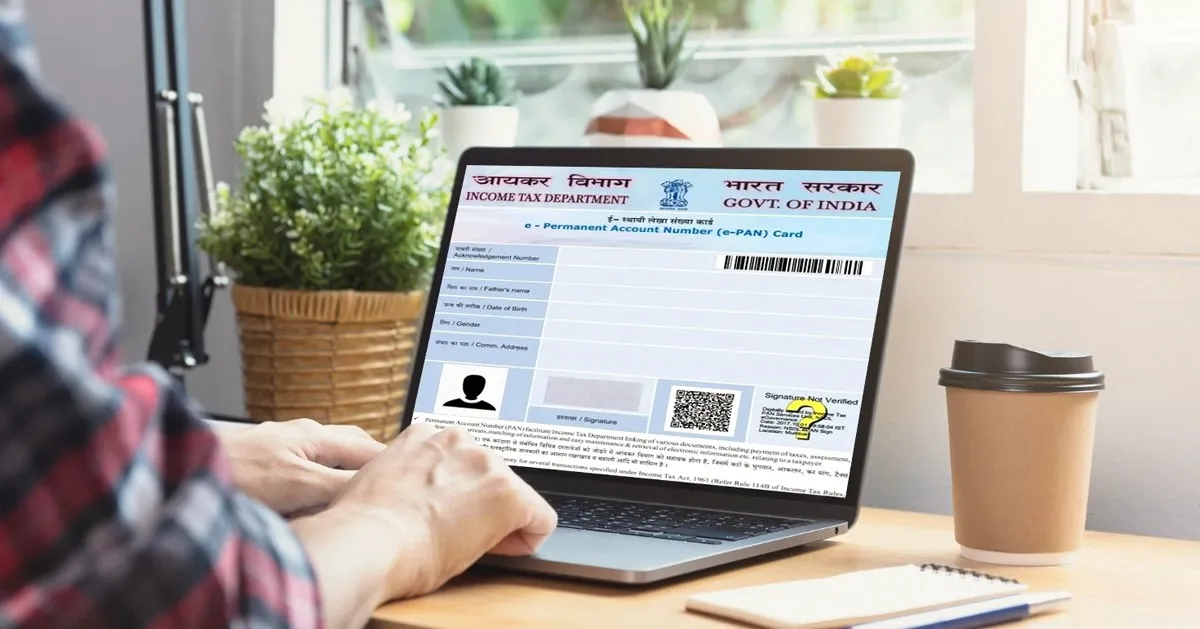
Downloading your PAN card is now quick and essential for completing financial and official transactions. PAN card download is important for banking, tax filing, and official transactions. Whether you need an e-PAN or want to download your PAN card online, this guide explains every method available on the government portal.

You’ll learn how to download your PAN card through official platforms like or National Securities Depository Limited (NSDL), UTIITSL, and other authorized government portals.

An e-PAN is a digitally signed PDF version of your Permanent Account Number (PAN). The updated government systems also allow users to download a PAN card for free through select government portals.

Eligibility for e-PAN Card

Before you can proceed with how to download a PAN card, you must meet the following eligibility criteria to do so:

  • You must have a valid PAN number.
  • Your PAN must be processed and approved by the Income Tax Department.
  • You need the acknowledgment number for NSDL or UTIITSL applications.
  • For Aadhaar-based instant e-PAN, your Aadhaar must be linked to your mobile number.
  • You must have access to your registered mobile number or email for OTP.

e-PAN Card Download: What is the Process?

The PAN card download process varies depending on where you initially applied for your PAN card

For instant PAN card download, there are three main portals through which you can complete your digital PAN card download:

  1. NSDL (Protean) Portal – Go to protean-tinpan.com for NSDL PAN card download, where your PAN was applied through NSDL.
  2. UTIITSL Portal – For PAN cards applied through UTI, visit pan.utiitsl.com.
  3. Income Tax e-Filing Portal – Go to incometax.gov.in/iec/foportal for PAN card download through Aadhaar.

It’s important to note that you can only download PAN cards online from the same portal where you originally applied. The PAN card download process typically requires your PAN number, acknowledgment number, date of birth, and OTP verification. Most portals offer a PAN card free download within specific timeframes.

How to Download PAN Card Online?

If you’re wondering how to download a PAN card online, the process involves the following general steps:

  1. Visit the official portal where you applied for your new PAN card.
  2. Navigate to the e-PAN card download section.
  3. Enter the required details (PAN number, acknowledgment number, or Aadhaar number).
  4. Provide your date of birth and complete the captcha verification.
  5. Choose your preferred OTP delivery method (SMS or email).
  6. Enter the OTP received on your registered mobile number or email.
  7. Click on the download PAN card online button to get your PAN card download PDF.
  8. Use your date of birth (DDMMYYYY format) as the password to open the PDF.

1. Download e-PAN Card NSDL 

For NSDL PAN card download, follow these detailed steps to complete your PAN card download:

1: Visit the official NSDL Protean portal at www.protean-tinpan.com.

2: Scroll down to find the ‘PAN Services Links’ section.

PAN card download

3: Select the appropriate option for your e-Pan card download:

  • Download e-PAN/e-PAN XML (PANs allotted in the last 30 days) for recent applications.
  • Download e-PAN/e-PAN XML (PANs allotted before 30 days) for older applications.

4: Choose your search criteria for how to download a PAN card:

  • Select “Acknowledgement Number” if you have the acknowledgment receipt.
  • Select “PAN” if you know your PAN number.
e-pan card download

5: Enter the required details for the digital PAN card download:

  • Acknowledgment number or PAN number.
  • Date of birth (DD/MM/YYYY format).
  • Captcha code.

6: Click “Submit” and choose your OTP delivery method (email, mobile, or both).

7: Click “Generate OTP” and enter the OTP received.

8: Click “Validate” and then “Download PDF” to complete your application.

Important: PAN card free download is available within 30 days of PAN allotment. After 30 days, a fee of ₹8.26 applies.

2. Download e-PAN Card UTI/UTIITSL 

For downloading the e-PAN card from the UTIITSL portal, follow these steps:

1: Go to the official UTIITSL portal at pan.utiitsl.com.

2: On the homepage, locate and click on the ‘Download e-PAN’ tab.

pan card services

3: Click on the ‘Click to Download’ option.

4: Enter the following details:

  • PAN number (10-digit alphanumeric).
  • Date of birth (DD/MM/YYYY format).
  • GSTIN number (if applicable for business entities).
  • Captcha code.
e-pan card facility

5: Click the ‘Submit’ button.

6: Check your registered email ID for a download link.

7: Click on the email link to proceed with the download.

8: Enter the OTP sent to your registered mobile number.

9: Download your e-PAN card PDF.

Similar to NSDL, a free download is available within 30 days of allotment, with a fee of ₹8.26 applicable thereafter.

3. e-PAN Card Download Income Tax 

The Income Tax Department offers instant PAN card download through Aadhaar. Here’s how to download a PAN card online using this method:

1: Visit the Income Tax e-Filing website at www.incometax.gov.in/iec/foportal/.

2: Look for the ‘Quick Links’ section and select ‘Instant E-PAN’.

e-pan card quick links

3: Click ‘Continue’ under the ‘Check Status/Download PAN’ tab.

e-pan download status

4: Enter your 12-digit Aadhaar number and click ‘Continue’.

pan card download status

5: Enter the OTP received on your Aadhaar-registered mobile number.

6: Select the checkbox for terms and conditions and click ‘Continue’.

7: Click on the ‘Download e-PAN’ button for instant e-PAN card download.

8: Your PAN card download PDF will be available instantly.

This service is free and offers immediate e-PAN card download.

How to Download an e-PAN Card Without a PAN Number? 

If you don’t have your PAN number but want to know how to download a PAN card, you can still complete your e-PAN card download using the acknowledgment number:

For NSDL applications:

1: Visit the NSDL portal at onlineservices.nsdl.com/paam/requestAndDownloadEPAN.html

2: Select the ‘Acknowledgement Number’ option for your PAN card download.

3: Enter your 15-digit acknowledgment number.

4: Provide your date of birth and complete captcha verification.

5: Choose the OTP delivery method and complete verification.

6: Complete your download of the PAN card online process.

For Instant e-PAN through Aadhaar:

1: Visit the Income Tax e-filing website for instant PAN card download.

2: Click ‘Continue’ under ‘Check Status/Download PAN’.

3: Enter your Aadhaar number instead of PAN.

4: Complete OTP verification and get your PAN card download PDF.

How to Download an e-PAN Card With a PAN Number? 

When you have your PAN number, the PAN card download by PAN number process becomes straightforward for your e pan card download:

For NSDL:

1: Visit the NSDL portal for NSDL PAN card download.

2: Select the ‘PAN’ option for how to download a PAN card.

3: Enter your 10-digit PAN number, date of birth, and Aadhaar number (if applicable).

4: Complete the captcha and OTP verification.

5: Complete your download of the PAN card online process.

For UTIITSL:

1: Visit the UTIITSL portal for the digital PAN card download.

2: Enter your PAN number, date of birth, and GSTIN (if applicable).

3: Complete captcha verification.

4: Check your email for the download link and complete OTP verification.

5: Get your PAN card download PDF through the PAN card free download (within 30 days).

e-PAN Card Download by Aadhaar Number 

You can also complete the PAN card download by Aadhaar number through the Income Tax portal:

1: Navigate to eportal.incometax.gov.in/iec/foservices/#/pre-login/instant-e-pan.

2: Click ‘Continue’ under the ‘Check/Download PAN’ section.

3: Enter your 12-digit Aadhaar number.

4: Click ‘Submit’ and wait for OTP.

5: Enter the OTP received on your Aadhaar-linked mobile number.

6: Accept the terms and conditions by checking the checkbox.

7: Click ‘Submit’ to proceed with your e-PAN card download.

8: Click the ‘Download e-PAN’ button.

This new PAN card download service is available 24/7 and provides immediate access with a free download facility.

Download e-PAN Card With Acknowledgement Number 

The acknowledgment number method is primarily used for NSDL applications:

1: Access the NSDL portal.

2: Select ‘Acknowledgement Number’ from the available options.

3: Enter your 15-digit acknowledgment number (found on your application receipt).

4: Provide your date of birth in DD/MM/YYYY format.

5: Enter the captcha code displayed.

6: Select your preferred OTP delivery method.

7: Enter the OTP received and click ‘Validate’.

8: Click ‘Download PDF’ to get your e-PAN card.

9: Use your date of birth (DDMMYYYY) as the password to open the PDF.

e-PAN Card Download Password

The password for opening your downloaded e-PAN card PDF is standardized across all portals:

Password Format: Your date of birth or date of incorporation in DDMMYYYY format.

Examples:

  • If your date of birth is 15th March 1990, your password would be: 15031990.
  • If your date of birth is 5th July 1985, your password would be: 05071985.

Important Points:

  • Always use two digits for day and month (add a leading zero if needed).
  • Use four digits for the year.
  • No spaces, hyphens, or special characters.
  • For companies, use the date of incorporation instead of the date of birth.

Final Thoughts

Downloading your PAN card is now quick, simple, and secure. You can access your e-PAN instantly through official platforms such as NSDL, UTIITSL, or the Income Tax portal. The digital PAN card is fully valid for all identity and verification purposes.

Always download your PAN only from authorized government portals to avoid fraud and ensure data security. The new digital system is eco-friendly, eliminates the risk of physical damage or loss, and allows users to download their PAN card free of cost within the available timelines.

Whether you need an instant e-PAN or want to re-download an existing one, the online PAN card system provides a fast and hassle-free experience for all users.


Frequently Asked Questions (FAQs)

1. Can I download my e-PAN card from any portal regardless of where I applied?

No, you can only download your e-PAN card from the same portal where you originally applied. If you applied through NSDL, you must download from the NSDL portal. Similarly, UTIITSL applications can only be downloaded from the UTIITSL portal, and instant e-PAN through Aadhaar can only be downloaded from the Income Tax portal.

2. Is there any fee for downloading the e-PAN card?

The fee structure varies by portal and timing. Instant e-PAN through the Income Tax portal is completely free. For NSDL and UTIITSL, downloading is free within 30 days of PAN allotment. After 30 days, a fee of ₹8.26 applies for downloading the e-PAN card.

3. Can I download my e-PAN card without OTP verification?

No, OTP verification is mandatory for downloading e-PAN cards from all official portals. This is a security measure to ensure that only the legitimate PAN holder can access the e-PAN card. You must have access to your registered mobile number or email ID to receive the OTP.

4. Is an e-PAN card legally valid and accepted everywhere?

Yes, an e-PAN card has the same legal validity as a physical PAN card. It is digitally signed by the issuing authority and can be used for all purposes where a PAN card is required, including bank account opening, income tax filing, and other financial transactions.

5. What should I do if I forget the password to open my e-PAN card PDF?

The password for your e-PAN card PDF is your date of birth in DDMMYYYY format. If you’re still unable to open it, ensure you’re using the correct format with two digits each for day and month, and four digits for the year. For companies, use the date of incorporation instead of the date of birth.

6. Can I download my e-PAN card using mobile apps?

Yes, you can download your e-PAN card using the MyPAN app (by UTIITSL) or the UMANG app. These apps provide a convenient mobile interface for accessing PAN-related services, including e-PAN card download.

7. How long does it take to generate an e-PAN card after application?

The timeline varies by application method. Instant e-PAN through Aadhaar on the Income Tax portal is generated within 10 minutes. For applications made through NSDL or UTIITSL, the e-PAN card is typically generated and available for download within 15 days of application.

8. What documents are required for the e-PAN card download?

You don’t need physical documents for downloading an e-PAN card. However, you need information such as your PAN number or acknowledgment number, date of birth, and access to your registered mobile number or email ID for OTP verification. For Aadhaar-based downloads, you need your 12-digit Aadhaar number.

9. Can I download multiple copies of my e-PAN card?

Yes, you can download your e-PAN card multiple times from the official portals. However, remember that after 30 days of initial allotment, NSDL and UTIITSL may charge a fee for each download. The Income Tax portal allows free downloads of instant e-PAN cards without time restrictions.

10. What should I do if my e-PAN card download fails or shows an error?

If you encounter errors during download, first ensure all entered information is correct and matches your application details. Check your internet connection and try again after some time. If the problem persists, contact the customer support of the respective portal (NSDL, UTIITSL, or Income Tax Department) for assistance. Make sure you’re using the correct portal where you originally applied for your PAN card.

Related Posts

bot

Featured In