

How to Check PF Claim Status Online with UAN or Tracking ID? Complete 2026 Guide
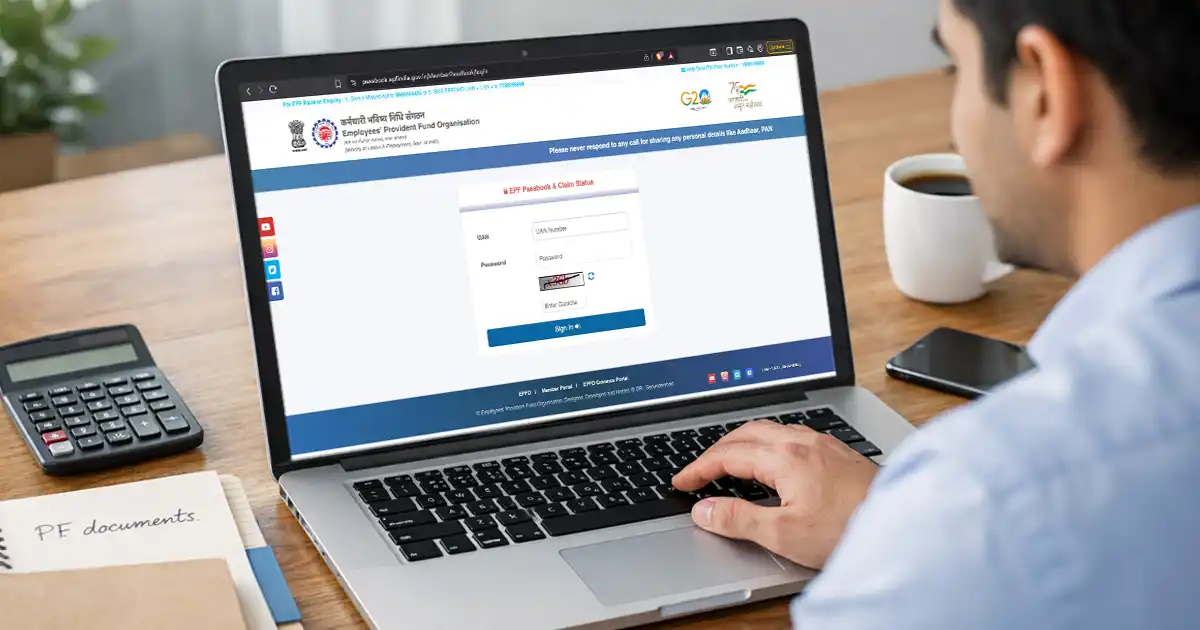
You can check your PF claim status through the EPFO member portal, UMANG app, SMS, or missed call service. It shows whether EPFO has received, processed, settled, or rejected your claim. It can also indicate whether the claim awaits action from your employer. The EPFO portal provides the most detailed view, while SMS and missed call options let you check the status without logging in.
The Provident Fund (PF) is a government-backed retirement savings scheme initiated to provide financial security to employees in India. Employees and employers contribute a fixed portion of their salaries to the Provident Fund. PF claims allow employees to withdraw this accumulated balance either fully or partially, depending on eligibility. Employees can also track the PF claim status online using their PF Tracking ID on the Employees’ Provident Fund Organization (EPFO) portal.
Key Takeaways
- Check your PF claim through the EPFO member portal, UMANG app, SMS, or missed call service.
- Use your UAN and registered mobile number to access or verify your claim details.
- Track claims through Track Claim Status on the EPFO member portal.
- Send “EPFOHO UAN ENG” to 7738299899 to check your PF details through SMS.
- Give a missed call to 9966044425 from your registered mobile number to access PF information.
- Common claim statuses include Under Process, Settled, Pending at Employer, and Rejected.
- Keep your Aadhaar, PAN, bank account, and other KYC details verified to reduce the risk of claim-related delays.
Prerequisites for Checking Your PF Claim Status
Keep these details ready before checking your PF claim status:
- UAN: Required to log in to the EPFO portal and access your claim details.
- Registered mobile number: Needed for OTP verification and SMS or missed-call services.
- PF Account/Member ID: Helps identify your PF account, especially after changing jobs.
- PF Tracking ID: Useful for tracking a submitted claim directly, where available.
- Claim reference number: Keep the acknowledgement or claim reference number if you received one after filing.
- Updated KYC: Ensure your Aadhaar, PAN, and bank account details are linked and verified with EPFO.
- Internet-enabled device: Use a phone or computer with internet access for the EPFO portal or UMANG app.
- Correct login credentials: Keep your UAN password ready when using the EPFO member portal.
How to Check PF Claim Status Online in India? Different Methods
You can check your PF claim status through the EPFO member portal, UMANG app, SMS, or missed call service. Each method requires different details and offers a different level of information.
1. EPFO Member Portal
Use the EPFO member portal when you want the most detailed view of your claim.
- Visit the EPFO member portal or access it through the EPFO website.
- Log in with your UAN, password, and captcha.
- Select Online Services → Track Claim Status.
- Review your current claim status and available details.
2. UMANG App
Use the UMANG app if you prefer checking your claim from your mobile phone.
- Open the UMANG app and sign in with your registered mobile number and OTP.
- Select EPFO → Employee Centric Services → Track Claim.
- Enter the required details to view your claim status.
3. SMS Service
Use the SMS service when you want to check your PF details without logging in to the EPFO portal.
- Send EPFOHO UAN ENG from your registered mobile number to 7738299899.
- Replace ENG with the applicable language code if required.
- EPFO will send your PF details by SMS. Your UAN must have the required KYC details linked.
4. Missed Call Service
Use the missed-call service when you want a quick status check without internet access.
- Give a missed call to 9966044425 from your registered mobile number.
- EPFO will send your PF account information by SMS.
- Your UAN must have the required KYC details linked to use this service.
Additional option: If you have a PF Tracking ID, you can use EPFO’s claim status service to track a submitted claim. EPFO also sends SMS alerts when it receives and settles your claim.
Why is It Important to Check PF Claim Status?
Regularly checking your PF claim status helps you:
- Track claim progress: Know exactly where your withdrawal or settlement request stands.
- Identify delays: Find out whether EPFO or your employer needs to take action.
- Resolve errors quickly: Spot rejected claims, mismatched details, or missing information early.
- Confirm claim settlement: Verify when EPFO processes your claim and initiates payment.
- Monitor payment: Check whether the settled amount has reached your registered bank account.
- Plan your finances: Get a clearer idea of when you can expect the PF amount.
- Avoid repeated inquiries: Track updates online instead of contacting EPFO or your employer unnecessarily.
- Take timely action: Respond quickly if EPFO requires additional information or your claim needs resubmission.
What to Do If the PF Claim Status is Not Updating?
If your PF claim status under process continues for more than 15 working days, take these steps:
- Check KYC Details: Log in and confirm your Aadhaar, PAN, and bank details are verified. Incorrect KYC often delays the PF claim status update.
- Verify Bank Account: Ensure the bank account linked to your PF is active and matches your EPFO records. Name mismatches can hold payment.
- Confirm Employer Approval: Some claims require employer verification. Contact your HR department to check if approval is pending.
- Raise an EPFO Grievance: Use the EPFO grievance portal to submit a complaint and track resolution. Mention your claim details clearly.
- Call EPFO Helpline: Contact the toll-free number for direct assistance if your online PF claim status does not change.
What Do Different PF Claim Statuses Mean?
Your PF claim status shows the current stage of your withdrawal request and indicates whether you need to take any action. These include:
| Status | What It Means | What You Should Do |
| Claim Received / Under Process | EPFO has received your claim and is processing it. | Wait for the next status update. |
| Pending at Employer | Your employer needs to complete the required verification or approval. | Contact your HR or employer if the status remains unchanged. |
| Under Process at Field Office (DA/AO Pending) | EPFO officials are reviewing your claim. | Wait for EPFO to complete its verification. |
| Approved / Payment Under Process | EPFO has approved the claim and is processing the payment. | Check your bank account after the payment is initiated. |
| Settled | EPFO has completed the claim and initiated the payment. | Check your registered bank account for the credit. |
| Rejected | EPFO has rejected the claim because of an issue such as incorrect details, KYC mismatch, or ineligibility. | Check the rejection reason, correct the issue, and submit a new claim if eligible. |
