


The Rajasthan government’s SSO ID (Single Sign-On ID) is a unified digital identity that allows citizens, students, businesses, and government employees to access multiple state government services through a single platform. Users can log in once via “ssoidloginrajasthanportal.in“and manage applications, certificates, scholarships, utility services, and welfare schemes online.
No more days of maintaining countless usernames and passwords for different government portals. With just one secure set of credentials through SSO ID Rajasthan, you now hold the key to Rajasthan’s entire e-governance ecosystem. This digital revolution is not just about convenience; it is an effort to empower citizens, saving their time and giving them better opportunities to access government services.
Let’s understand the variety of benefits offered by an SSOID. This guide will show you exactly how SSO ID registration can transform your experience with government processes, from registration to maximizing benefits.
What is the SSO ID in Rajasthan?
SSO ID is a unilateral system that helps individuals, organizations, and business owners to access a variety of services offered by the Rajasthan Government under one head. The full form of SSOID is Single Sign-On Identity, which is clear enough in describing its functionality. A user can now create the SSO ID login credentials once and access multiple government websites, claiming their benefits through the same.
This system follows a “sign on once, access many” approach, simplifying the user experience while maintaining security standards. The SSOID initiative by the Rajasthan government accelerates the Digital India mission, making government services more accessible to citizens.
Who Handles/Manages the SSO ID Portal?
The SSO ID portal is maintained and managed by the Department of Information Technology & Communication (DoIT&C) under the Government of Rajasthan. This department is responsible for ensuring that the infrastructure remains intact and all the security protocols are taken care of. It further takes care of the smooth operation of the SSO ID platform across the state.
Finally, it also helps in creating a sense of security and legitimacy in the eyes of users who want to make an SSO ID.
Benefits of SSO ID Login Rajasthan
Having a Rajasthan SSO ID helps you achieve multiple advantages, such as:
1. Single Sign-On Convenience
The primary benefit of SSO ID login is the convenience of having a single set of credentials to access multiple government websites. This is helpful as it eliminates the constant need to remember multiple passwords and go through login failures. The SSO ID login for Rajasthan simplifies this process and provides quick access to all integrated services.
2. Access to Multiple Services
Obtaining an SSO ID helps you access over 100 integrated services across various departments of the Rajasthan government, including:
- Land records and property registration
- Birth, death, and marriage certificates
- Scholarship applications
- Social welfare schemes
- Employment registration
- Various licenses and permits
- Utility bill payments
- Tax filing services
3. Time-and-Cost Savings
The SSO ID system significantly reduces the time a user spends on the authentication processes across different websites. Being a citizen, you no longer need to visit different government offices or navigate through their complex structure. All of this ultimately means:
- Reduced paperwork
- Minimized travel expenses
- Faster service delivery
- Lower administrative burden
- 24/7 service availability
How to Login SSO ID in Portal: Step-by-Step Guide
Logging into the Rajasthan SSO portal is a simple process once your SSO ID is registered. Follow the steps below to access government services using a single login:
Step 1: Visit the Official SSO Portal
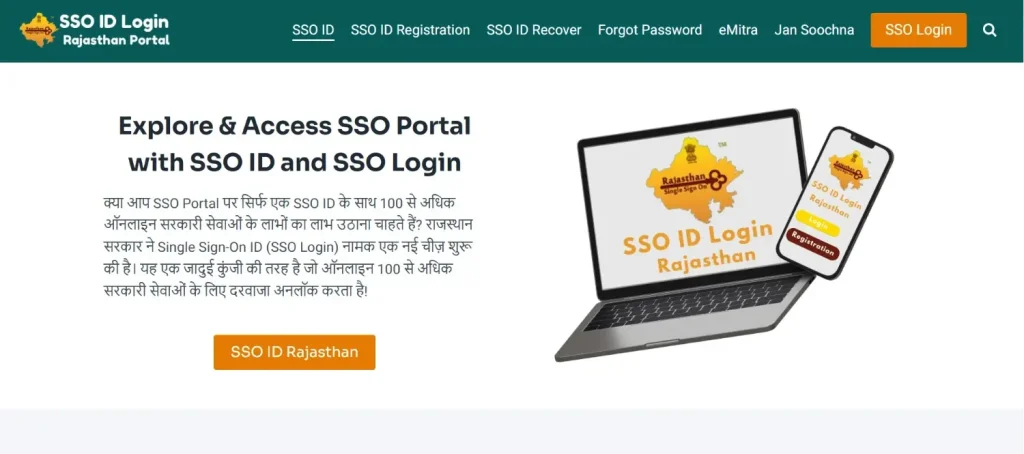
Go to the official Rajasthan Single Sign-On website “sso.rajasthan.gov.in” using a secure browser.
Step 2: Click on “Login”
On the homepage, click the “Login” button to proceed to the authentication page.
Step 3: Enter Your SSO ID or Username
In the login field, enter your SSO ID / Username / Email ID that you used during registration.
Step 4: Enter Your Password
Type your registered password carefully. Ensure that Caps Lock is off to avoid login errors.
Step 5: Complete CAPTCHA Verification
Enter the CAPTCHA code displayed on the screen to verify that you are a genuine user.
Step 6: Click on “Login”
Once all details are entered correctly, click the Login button to access your SSO dashboard.
Step 7: Access Services from Dashboard
After successful login, you will be redirected to the SSO dashboard, where you can access multiple Rajasthan government services such as certificates, scholarships, employment portals, utility services, and business-related applications.
Alternative Login Methods Available on SSO Portal
Users can also log in using:
- Jan Aadhaar
- Aadhaar
- Google account
- Business Registration Number (BRN) for enterprises
- SIPF ID for Rajasthan government employees
These options allow flexible and secure access based on user type.
Common SSO ID Login Problems
Users may sometimes face login issues while accessing the Rajasthan SSO portal. Below are the most common SSO ID login problems along with practical explanations.
- Incorrect SSO ID or Password: Entering an incorrect username, email ID, or password is the most common reason for login failure. Ensure there are no typing errors and that Caps Lock is turned off.
- Forgotten Password: If you have forgotten your password, use the “Forgot Password” option on the login page to reset it.
- OTP Not Received on Mobile: OTP delays may occur due to network issues or inactive mobile numbers. Ensure your registered mobile number is active and try resending the OTP after a few minutes.
- Account Temporarily Locked: Multiple failed login attempts can temporarily lock your SSO account for security reasons. Wait for some time or reset your password to regain access.
- Browser Compatibility Issues: Using outdated browsers or disabled cookies may cause login errors. Use updated versions of Chrome, Firefox, or Edge and enable cookies and JavaScript.
- Server or Portal Downtime: During peak hours or maintenance periods, the SSO portal may respond slowly or show errors. In such cases, try logging in after some time.
- Mismatch in Login Method: Logging in with a different method than the one used during registration (Google, Jan Aadhaar, BRN, SIPF) can cause authentication failure. Always use the original registration method.
- Inactive or Deactivated SSO ID: In rare cases, SSO IDs may be deactivated due to prolonged inactivity or verification issues. Contact the official SSO helpdesk for assistance.
- Profile or Aadhaar Verification Issues: Incorrect or incomplete Aadhaar or Jan Aadhaar details linked to the SSO ID can lead to login restrictions until verification is updated.
SSO ID Registration / Sign Up Process: Complete Guide
Creating an SSO ID in Rajasthan allows users to access multiple government services through a single login. The registration process is simple and can be completed online by following the steps below:
Step 1: Visit the Official SSO Portal
Open the official Rajasthan Single Sign-On website at sso.rajasthan.gov.in using a desktop or mobile browser.
Step 2: Click on “Register”
On the homepage, click the “Register” button to start the SSO ID sign-up process.
Step 3: Select User Type
Choose the appropriate user category based on your profile:
- Citizen
- Udyog (Business/Enterprise)
- Government Employee
Selecting the correct category ensures access to relevant services.
Step 4: Enter Required Details
Provide basic information such as name, mobile number, email ID, and identity details based on the selected registration method. Verify your mobile number using OTP.
Step 5: Create Username and Password
Set a unique SSO ID (username) and a strong password for future logins. Make sure to remember or securely store these credentials.
Step 6: Complete Registration
After successful verification, submit the form to complete the registration. Your SSO ID will be generated instantly and can be used to log in to the portal.
Who Can Register for an SSO ID?
Any individual who is a resident of Rajasthan or requires access to Rajasthan government services can register for an SSO ID. There are no such restrictions specific to your residency, thus making this available for:
- Permanent residents of Rajasthan
- Non-resident Rajasthanis requiring state services
- Students enrolled in Rajasthan educational institutions
- Property owners in Rajasthan
- Businesses operating within the state
Apart from individuals, even organizations can opt for an SSO ID. Some of these may be:
- Educational institutions: Schools, colleges, and universities.
- Healthcare facilities: Hospitals, clinics, and medical centers.
- Businesses and industries: Both small and large enterprises.
- Non-profit organizations: NGOs operating in Rajasthan.
- Government departments: For inter-departmental service access.
Having an SSOID in your organization not only helps individuals but also increases the overall administration.
Documents Required for SSO ID Registration Login
Before you start the SSO ID registration process, make sure that you have the following documents:
- Identity Proof
- Aadhaar Card (preferred)
- PAN Card
- Voter ID
- Driving License
- Passport
- Address Proof
If you don’t yet use an Aadhaar Card, you may have to keep any one of the given handy:
- Utility bills (electricity, water, gas)
- Bank statements with the address
- Ration card
- Rental agreement
- Mobile Number & Email
- A valid mobile number, which is mandatory for the OTP verification
- An active email address for regular communication and recovery procedures
How to Create a New SSO ID?
Creating a new SSO ID allows citizens, businesses, and government employees to access multiple Rajasthan government services using one login.
Steps to create a new SSO ID are as follows:
- Visit the official SSO portal.
- Click on Register.
- Select your user type: Citizen, Udyog, or Government Employee.
- Choose a registration method such as Jan Aadhaar, Aadhaar, Google, BRN, or SIPF.
- Enter the required details and verify your mobile number via OTP.
- Create a unique SSO ID (username) and password.
- Submit the form to generate your SSO ID successfully.
Registration is free and can be completed online in a few minutes.
How to Find Your SSO ID (If Forgotten)?
If you have forgotten your SSO ID or username, you can easily retrieve it through the official portal by following these steps:
- Visit sso.rajasthan.gov.in.
- Click on Login.
- Select Forgot SSO ID.
- Enter your registered mobile number or email ID.
- Verify your identity using OTP.
Your SSO ID will be displayed on the screen or sent to your registered contact details.
How to Reset / Change SSO ID Password?
Users who forget their SSO ID password can reset it securely online. Here are the steps to reset or change the SSO ID password:
- Go to the SSO portal and click Login.
- Select “Forgot Password“.
- Enter your SSO ID or registered mobile number/email.
- Verify the OTP sent to your registered mobile or email.
- Create a new password and confirm it.
- Log in using the updated password.
For security reasons, choose a strong password and avoid sharing it.
How to Update SSO ID Login Profile?
Keeping your SSO ID profile updated ensures smooth access to government services and notifications.
Steps to update SSO ID profile details:
- Log in to the SSO portal using your SSO ID.
- Go to the My Profile or Profile Update section.
- Edit details such as mobile number, email ID, address, or personal information.
- Save changes and verify updates via OTP if required.
Some fields linked to Aadhaar or Jan Aadhaar may require additional verification.
How to Apply for the SSO ID Scholarship?
SSO ID is mandatory for applying to Rajasthan government scholarships and education schemes. Steps to apply for scholarships using SSO ID are:
- Log in to the SSO portal.
- Access the Scholarship or Social Justice & Empowerment Department services.
- Select the applicable scholarship scheme.
- Fill in the application form and upload the required documents.
- Submit the application and note the reference number.
- Track application status through the SSO dashboard.
Students can apply for pre-matric, post-matric, and merit-based scholarships through the portal.
SSO ID Helpline Number & Support
For technical issues, login problems, or service-related queries, users can contact the official SSO support team.
SSO ID support options include:
- Helpline Number: 0141-5123717, 0141-5153222
- Email Support: helpdesk.sso@rajasthan[dot]gov[dot]in
- Online Support: Raise a ticket through the SSO portal help section
Support is available during working hours, and users are advised to keep their SSO ID details handy while contacting the helpdesk.
Citizen, Business, and Other Services Offered by SSO ID Login
With the SSO ID Rajasthan Login, an individual may unlock the power of having multiple services all in one place. Some of the common services that you would have access to are:
1. Citizen Services
SSO ID allows individuals to apply for and manage essential government services, such as:
- Certificates: An individual can apply for birth, death, income, caste, and domicile certificates.
- Property & Land Records: One can view, apply for, and verify property documents
- Grievance Redressal: You can also file complaints and track their records, as well as their status.
- Utility Payments: It can also be used to access electricity, water, and other utility bills.
2. Student Services
Students can use SSO ID to manage education-related services, including:
- Scholarship Applications: Students can apply for various state and central scholarship schemes.
- Exam Forms: They can also fill out and submit examination forms for state boards and universities
- Education Certificates: Educational certificates can also be requested and downloaded from the portal.
- Career Guidance: State employment portals and career counseling services can also be accessed, acting as a guide to a student’s career.
3. Business & Industry Services
Entrepreneurs and businesses can handle multiple compliance tasks through SSO ID, such as:
- License Applications: An individual can apply for trade licenses, permits, and registrations
- Tax Filings: They can submit state tax returns and payments
- Incentive Schemes: Business incentives and subsidies can also be applied under a single roof.
- Compliance Submissions: Mandatory income tax filings for the business can all be accessed through this single portal.
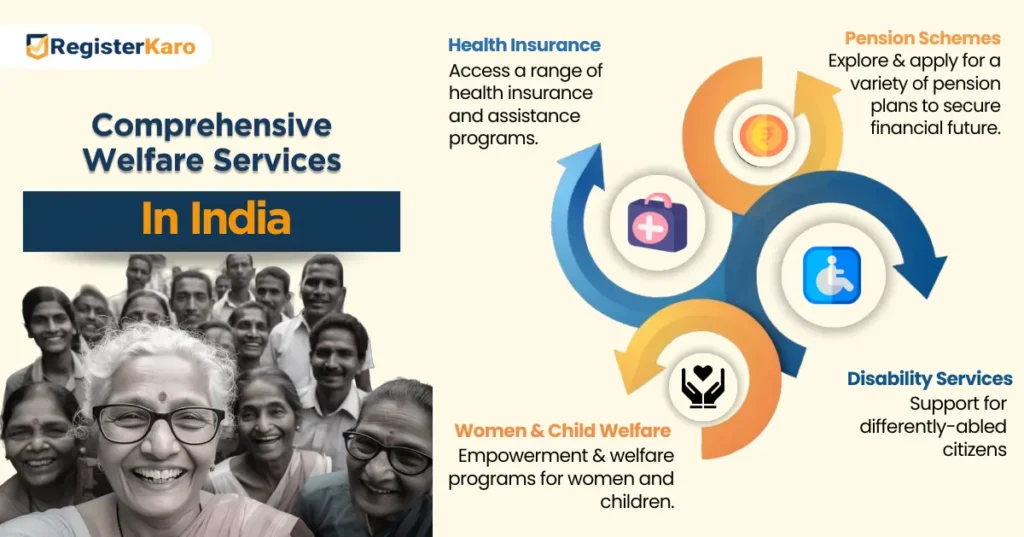
4. Health & Social Welfare Services
SSO ID also provides access to important welfare schemes, including:
- Healthcare Schemes: Individuals can apply for health insurance and assistance programs.
- Pension Applications: They get access to a variety of pension schemes.
- Disability Services: Specially-abled citizens can opt for services valid for them.
- Women & Child Welfare: Women empowerment schemes and child welfare are all hooked up under this website for the citizens.
The SSOID system represents a significant leap forward in Rajasthan’s digital governance framework. By eliminating the need for multiple logins and making the authentication process efficient, it helps not only the individual but the government as well.
Having an SSOID Registration Login is more than just having a login credential; it is a key to transparent, responsive, and well-structured government schemes in your hands. Learning how to make and use SSOID is a major step towards digital empowerment for the nation.
