

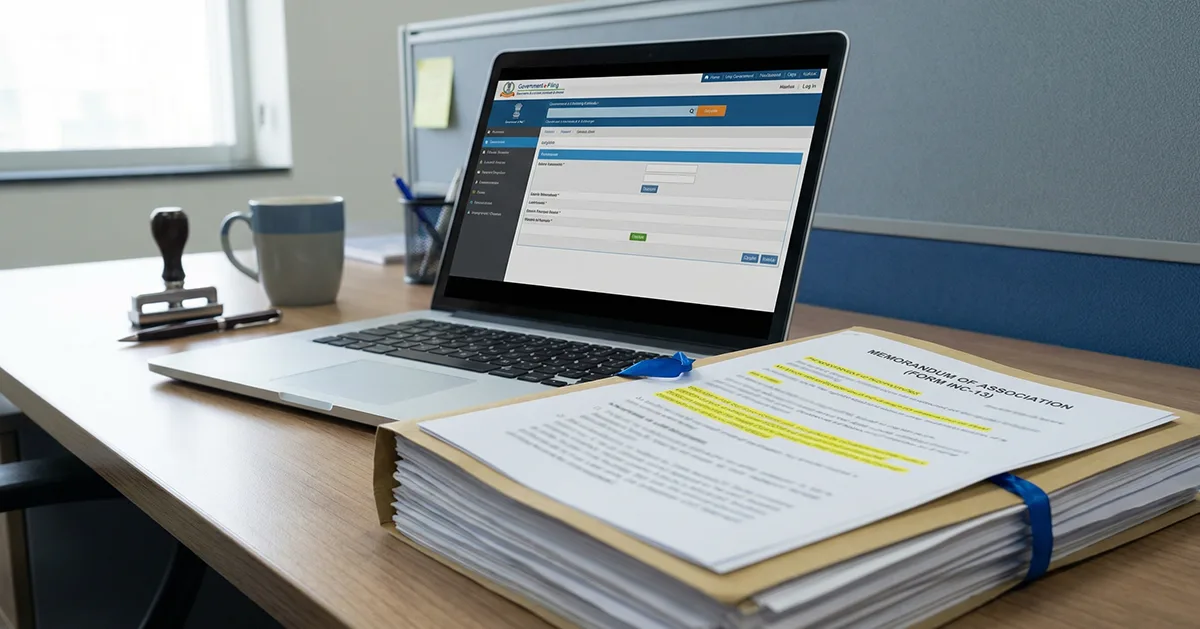
Form INC-13 is the Memorandum of Association (MoA) format prescribed for incorporating a Section 8 Company under the Companies Act, 2013. The MoA establishes the company’s legal identity and states its objects and purpose. It also defines the proposed name and registered-office state, and sets out the members’ liability along with share-capital structure (where applicable).
Many NGOs, trusts, and societies start with powerful ideas but struggle to translate that vision into a compliant and trustworthy structure. Form INC-13 plays a crucial role in establishing this foundation by defining the purpose and scope of a Section 8 company. For a Section 8 Company, the objects clause in the MoA must align with the charitable, social, educational, environmental, religious, or other permitted purposes specified under Section 8.
It formally outlines the organization’s nonprofit objectives, values, and governing principles in a way that aligns with the Companies Act, 2013. When prepared correctly, it provides clarity, credibility, and accountability. These qualities are of utmost importance to stakeholders, CSR partners, and funding sources.
What is the INC‑13 Form?
Form INC‑13 (Form No. INC.13) is the official format used for preparing the Memorandum of Association (MoA) for a Section 8 company under the Companies Act, 2013. This form sets out the key details of the company’s purpose and structure. In Section 8 registration, the MoA defines the non‑profit objectives you plan to pursue.
Under the Companies Act, 2013, and Rule 19(2) of the Companies (Incorporation) Rules, 2014, the MoA for a Section 8 company must be in the format prescribed under INC‑13. The form does not grant approval or registration. It is a statutory document reviewed by the Registrar of Companies (RoC) during the application process.
- For New Section 8 Company Registration: Prepare the MoA in INC‑13 format along with the incorporation application and Section 8 licence (Form INC‑12). Clearly state the charitable, educational, social welfare, or other non-profit objectives. Include the company name, registered office (temporary for new incorporations; update via INC‑22), and main objects.
- For Section 8 Conversion or Amendment: Submit the revised MoA in INC‑13 format as an attachment to relevant MCA forms, such as INC‑12 or SH‑7. Ensure the document reflects the non-profit purpose and complies with Section 8 rules.
The MoA in INC‑13 serves as the company’s key document. It shows the RoC that the company’s objectives and structure follow Section 8 norms.
Who is Required to Sign the INC‑13 MoA?
Form INC‑13 is the format for a Section 8 company’s MoA. It is submitted electronically as part of SPICe+, INC‑12, or other linked MCA forms, signed with a valid Class 3 DSC.
- Directors/Promoters: A director or promoter of the company may prepare and submit the MoA drafted in Form INC‑13 format. The director ensures that the MoA reflects the company’s non-profit objectives accurately.
- Subscribers to the MoA: All first subscribers (members) listed must sign the MoA in this format. Their signatures confirm consent to the company’s objectives and commitment to Section 8 compliance.
- Submission through MCA Forms: The MoA in INC‑13 is submitted electronically as part of SPICe+, INC‑12, or other linked forms. These forms must be digitally signed using a valid Digital Signature Certificate (DSC) registered on the MCA portal.
Note: Filing INC‑13 does not require a professional certification (CA, CS, CMA), but linked filings like INC‑12 may require one.
Other Forms to File Along With INC-13
Rule 19 mentions filing of other forms along with INC-13 for a Section 8:
- INC-12: Application for the Section 8 licence
- INC-14: Declaration by a practising CA/CS/CMA that the MOA/AOA complies with Section 8
- INC-15: Declaration by each person making the application
- INC-16: The licence granted under Section 8
How to Fill eForm INC‑13? Step‑by‑Step Guide
Filling eForm INC‑13 correctly is essential for a Section 8 company. It ensures the MoA meets all legal requirements and gets smooth approval from the RoC.
Follow these steps carefully to fill eForm INC‑13:
Step 1: Check Section 8 Eligibility
Before drafting the MoA, ensure that the proposed company qualifies for Section 8 registration. The objectives must be strictly non-profit in nature and fall within permitted areas such as charity, education, social welfare, environmental protection, art, culture, or sports.
Step 2: Draft the MOA in INC-13 Format
Prepare the MoA strictly in the format prescribed under Form INC-13. Clearly define:
- The main and ancillary non-profit objects
- The scope of activities
- The governance intent of the company
Avoid commercial or profit-oriented language, as this is a common reason for resubmission.
Step 3: Draft the AOA
Prepare the Articles of Association (AOA) in line with Section 8 restrictions. The AOA should support the MoA and reflect limitations on profit distribution, member benefits, and governance.
Step 4: Include Mandatory Section 8 Clauses
Ensure the MoA contains all compulsory Section 8 clauses, including:
- Application of profits and income solely toward the company’s objectives
- Prohibition on payment of dividends to members
- Transfer of remaining assets on winding up to another Section 8 company or an eligible charitable institution
These clauses are mandatory and closely examined by the RoC.
Step 5: Identify Subscribers and Obtain Signatures
Identify all first subscribers to the MoA. Each subscriber must:
- Sign the MoA prepared in INC-13 format
- Provide name, address, occupation, and identification details
- Have their signatures properly witnessed
Subscriber signatures are mandatory for the MoA to be valid.
Step 6: Attach INC-13 to the Relevant MCA Application
You submit the MoA prepared in Form INC‑13 as an attachment rather than as a separate filing:
- SPICe+ form for incorporation of a new Section 8 company
- INC-12 for obtaining a Section 8 licence or conversion
You digitally sign the submission using a valid Digital Signature Certificate (DSC) registered on the MCA portal.
Step 7: Payment of Applicable Fees and Stamp Duty
You pay the government fees and applicable stamp duty while submitting the parent form (SPICe+ / INC‑12). The Companies (Registration Offices and Fees) Rules, 2014, govern the fees, and the stamp duty varies by state.
Step 8: RoC Examination and Queries
The RoC reviews the MoA to confirm compliance with Section 8 requirements. If discrepancies or unclear clauses are found, the application may be marked for:
- Resubmission
- Additional clarification
- Modification of objects or clauses
- Prompt and accurate responses help avoid delays.
Step 9: Post-Approval Compliance
After approval, the company must operate strictly in accordance with the MoA by:
- Using all income and profits solely for charitable purposes
- Maintaining proper books of accounts
Filing annual returns and statutory compliances as required under the Act.
Form INC‑13: Common Mistakes & Pitfalls (and How to Avoid Them)
Filing Form INC‑13 can be challenging. Errors often lead to delays or rejections. Knowing these common pitfalls helps ensure a smoother approval process.
1. Incomplete or Incorrect MoA Draft: A frequent issue is preparing the MoA that does not clearly reflect the Section 8 non-profit objectives.
Fix: Draft the MoA carefully in INC‑13 format. Clearly state charitable, educational, social welfare, or other non-profit objectives. Avoid vague or commercial-sounding statements.
2. Missing Subscriber Signatures: INC‑13 requires signatures of all first subscribers. Missing or incomplete signatures can trigger rejection.
Fix: Collect and verify all subscriber signatures before filing. Ensure names and addresses match exactly with the form.
3. Wrong Signatory or DSC Issues: Sometimes, someone who is not a director, promoter, or authorized signatory signs the form, or the DSC is invalid. This can lead to rejection or technical defects.
Fix: Confirm that a person authorized to submit the application digitally signs the relevant MCA form (such as SPICe+ or INC‑12) using a valid Class 3 DSC registered on the MCA portal.
4. Inconsistent Company Details: Discrepancies between the company name, object clauses, or other details on MCA records and the INC‑13 form can cause errors. It can also raise queries from the ROC.
Fix: Verify all company details on the MCA portal before filling the form. Make sure the information matches exactly.
5. Unsupported Clauses or Objectives: Including objectives or clauses that don’t comply with Section 8 requirements can delay approval.
Fix: Include all mandatory Section 8 clauses: use profits only for charity, no dividends, and proper asset transfer on winding up. Ensure objectives comply with legal requirements.
